
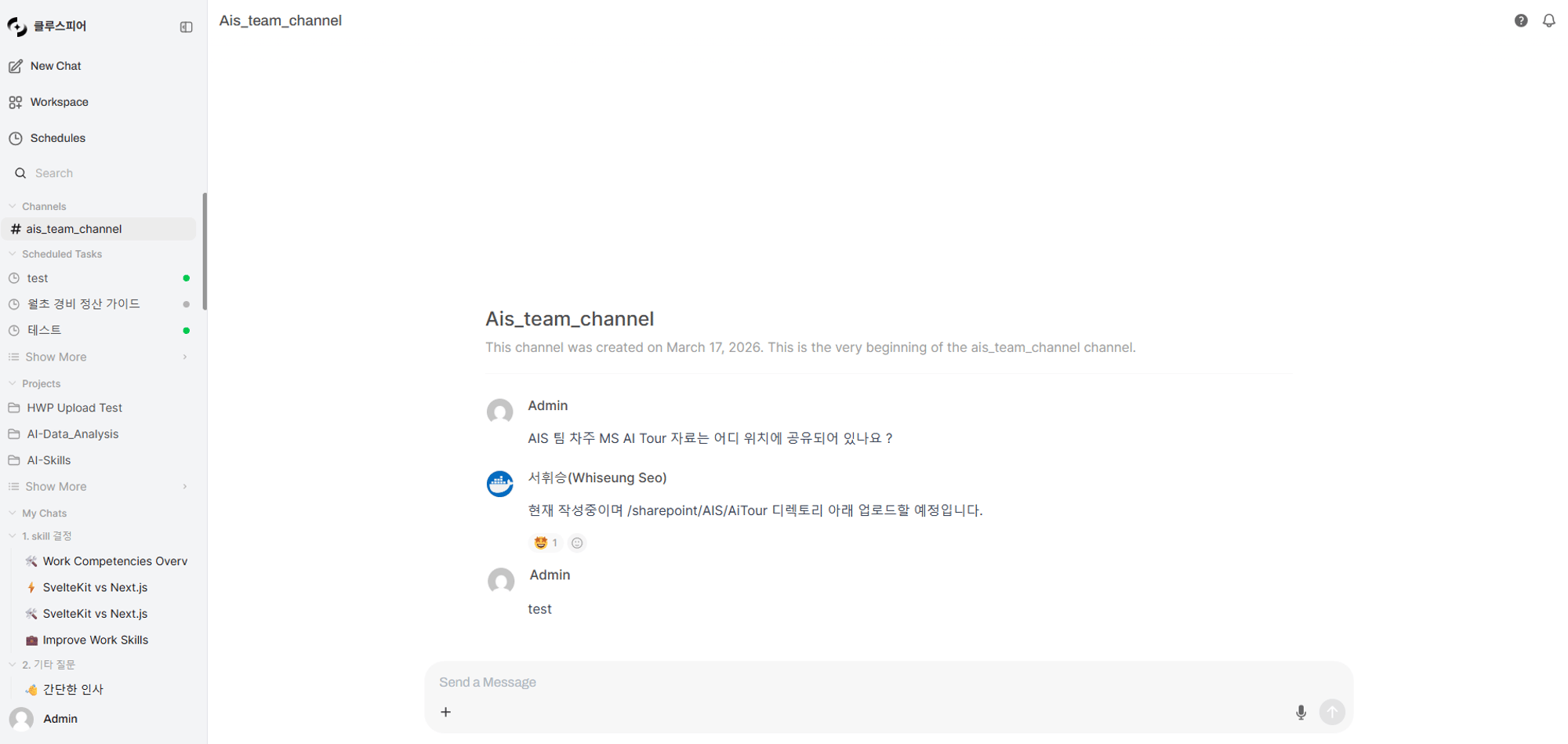
Real-time messaging with teammates in a channel
Channel Flow
Creating a Channel
Channels can only be created by admins.The Channels feature only appears in the sidebar when the
enable_channels feature flag is enabled in admin settings.1
Open the channel creation menu
In the sidebar Channels section, click the ”+” button.
2
Enter channel info
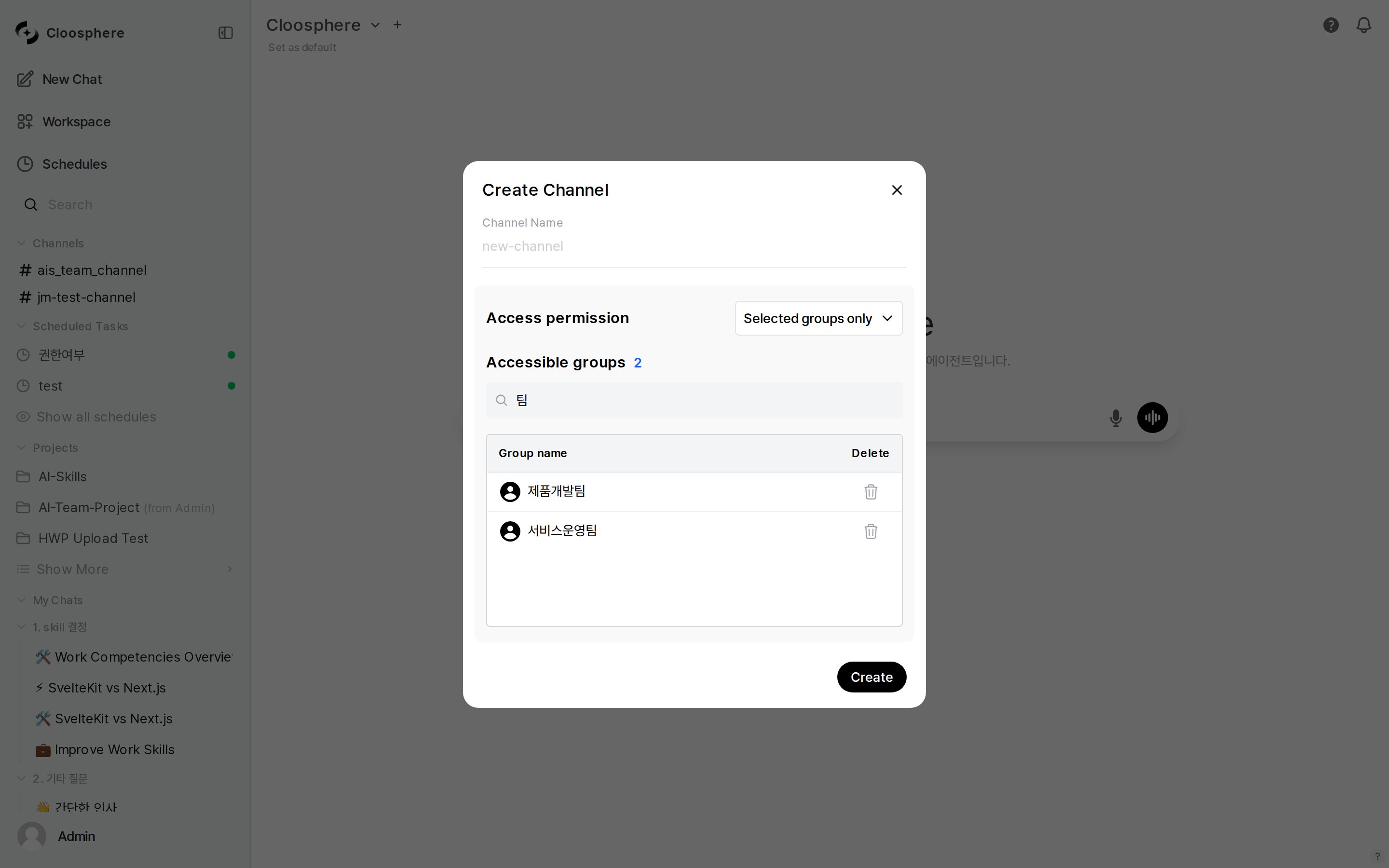
Switching Access permission to Selected groups only reveals the Accessible groups card
On creation, channel names auto-convert spaces to hyphens and uppercase to lowercase. Example: “Dev Team” → “dev-team”
3
Done
Click “Create” — the channel is created and appears in the sidebar.
Editing and Deleting Channels
Channel edits and deletions are admin-only. Hover over a channel name in the sidebar and click the gear icon to access settings.Sending Messages
Basic Messaging
Type a message in the input at the bottom of the channel and send.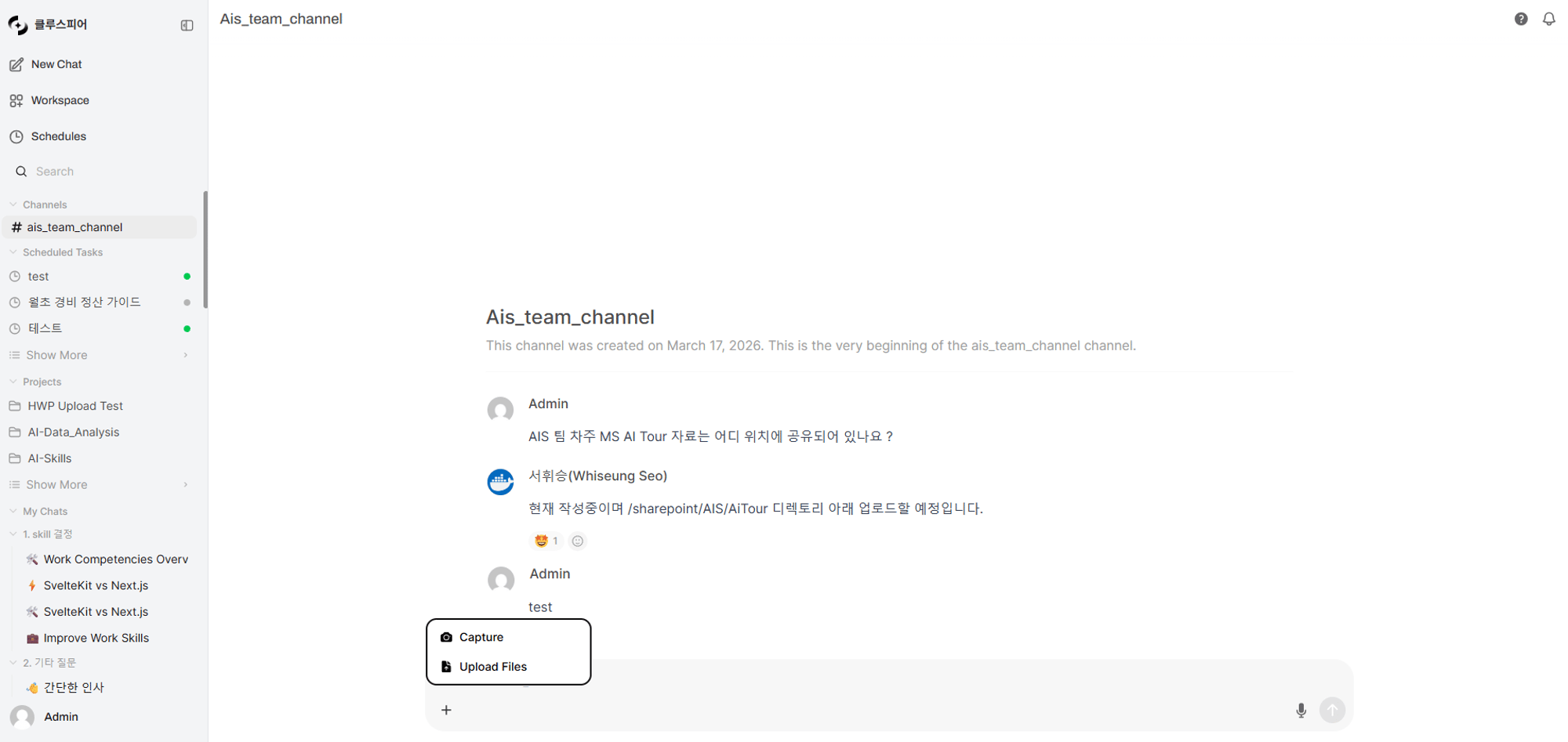
Input supports text, file attachments, and screen capture
Live Typing Indicator
When other users are typing, an indicator shows above the input. Auto-disappears after 5 seconds of inactivity.Threads
Group replies to a message into a thread. Have in-depth discussion on a specific topic without disrupting the main channel flow.1
Start a thread
Hover over a message and click the Reply in thread icon button.
2
Write a reply
A thread panel opens on the right of the screen. Write and send the reply.
3
Track threads
Below the original message, the reply count and last reply time are shown.
Thread Display
Reactions
Add emoji reactions to messages for quick acknowledgment.Editing and Deleting Messages
Edit
Only the author can edit their own message.Message editing is restricted to the author. Even admins cannot edit others’ messages.
Delete
Deleting a message also removes all its reactions. Deleting a parent message keeps thread replies intact.
Channel Member Management
Use the Access permission area in channel edit to set who can join the channel.
Groups added to a channel get Read only. The badge is fixed at Read and does not toggle to Write. In a channel Read means participation, so Read alone lets a user both read and post messages.
Creating, editing, and deleting channels is restricted to admins. For the full access control model, see Sharing & Permissions.
Notifications
Webhook notifications are sent to users not currently in the channel.Channel Access Paths
Accessing the channel page initializes the chat session (
chatId) and switches to the channel-only view.
FAQ
Can regular users create channels?
Can regular users create channels?
No — channel creation/modification/deletion is admin-only. Ask your admin if you need a channel.
Can I chat with the AI in a channel?
Can I chat with the AI in a channel?
Channels are user-to-user messaging only. Use the Chat feature for AI conversations.
Can I attach files to channel messages?
Can I attach files to channel messages?
Yes — image and document files can be attached. Use the attach button in the input or drag and drop.
Are there limits on thread reply count?
Are there limits on thread reply count?
By default, there’s no per-thread reply limit. Replies load 50 at a time via pagination.
Can I leave or mute channels?
Can I leave or mute channels?
In permission-restricted channels, admins manage membership. Disable webhook notifications in personal settings to silence notifications.
Is there an @mention feature?
Is there an @mention feature?
Currently, no dedicated @mention feature. Mention users by name directly in the message body.