
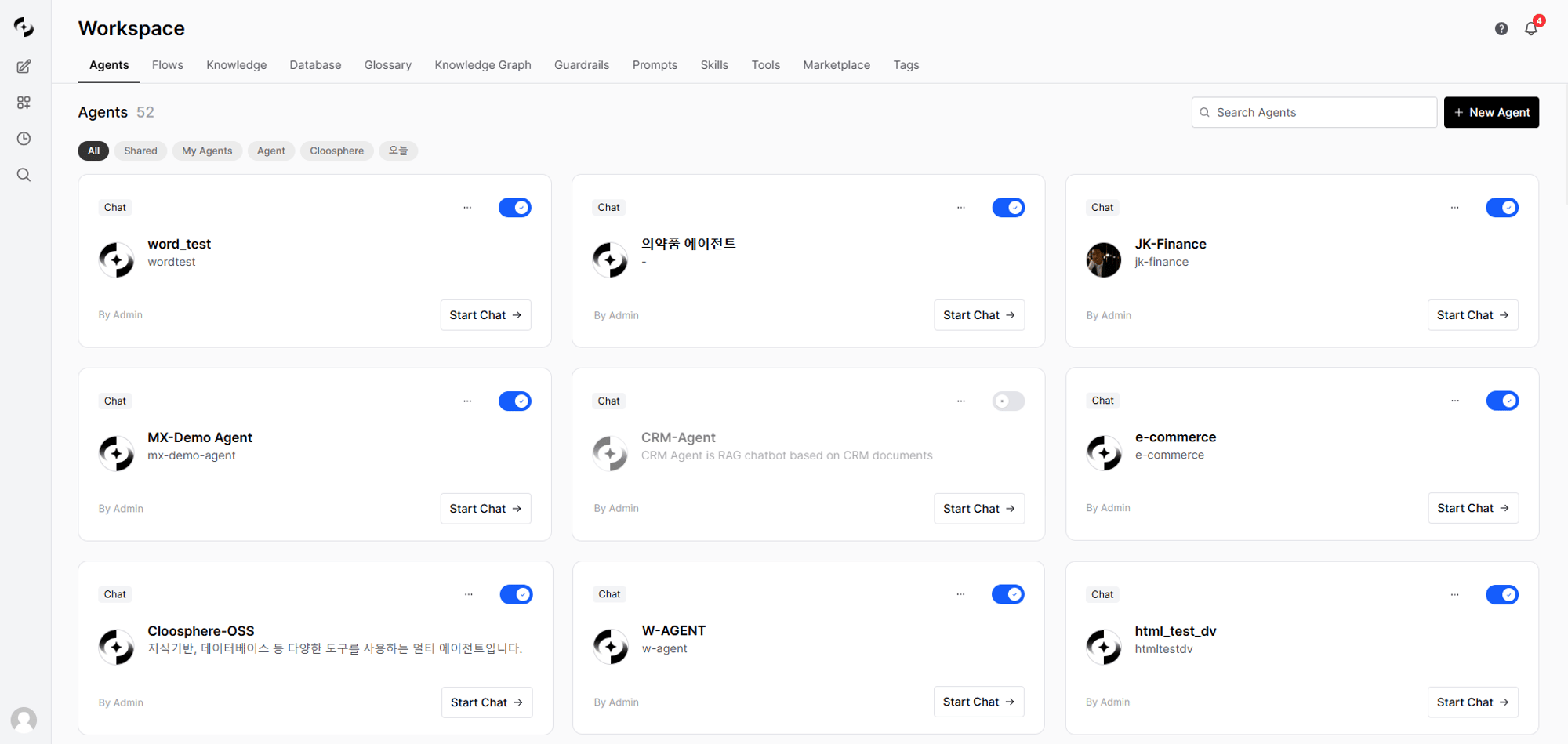
Workspace main screen
Core Features
Agents
Create and manage custom AI assistants combining Knowledge Bases, Tools, and Guardrails.
Knowledge Base
Upload internal documents and run vector search via the RAG pipeline.
Database
Query databases in natural language. Analyze data without writing SQL.
Agent Flows
Visually connect multiple agents to compose multi-step workflows.
Guardrails
Configure AI I/O security policies — PII detection, content filtering, blocked terms.
Tools
Connect OpenAPI or MCP servers so agents can interact with external systems.
Prompts
Save frequently used prompts as templates and share with the team. Invoke quickly via
/ commands.Glossary
Register domain terms so the AI accurately understands industry, abbreviation, and internal terminology.
Knowledge Graph
Connect glossaries, databases, and documents into one graph to deepen agent understanding.
Tags
Tag workspace resources to classify and filter them.
Skills
Standardize repetitive work with reusable instruction playbooks that agents invoke on their own.
Marketplace
Add PPT/Word/Excel/HTML document generators and Google Workspace/Microsoft 365 integrations to your agents.
How the Pieces Connect
The heart of the Workspace is the Agent. Agents combine other workspace features to operate.Access Control
All workspace resources follow the same access-control model.Organizational units cannot be selected here. To grant access by organizational unit, an admin must link the unit to a group — its members are then treated as members of that group. See Sharing and permissions.
Get Started
Build an Agent
Create a custom AI by linking a base model, system prompt, and Knowledge Bases
Build a Knowledge Base
Upload internal documents and configure RAG search
Connect a Database
Connect a business DB and enable natural language queries
Use in Chat
Select your agent and start a conversation