
Example
“Compare sales by department this quarter”
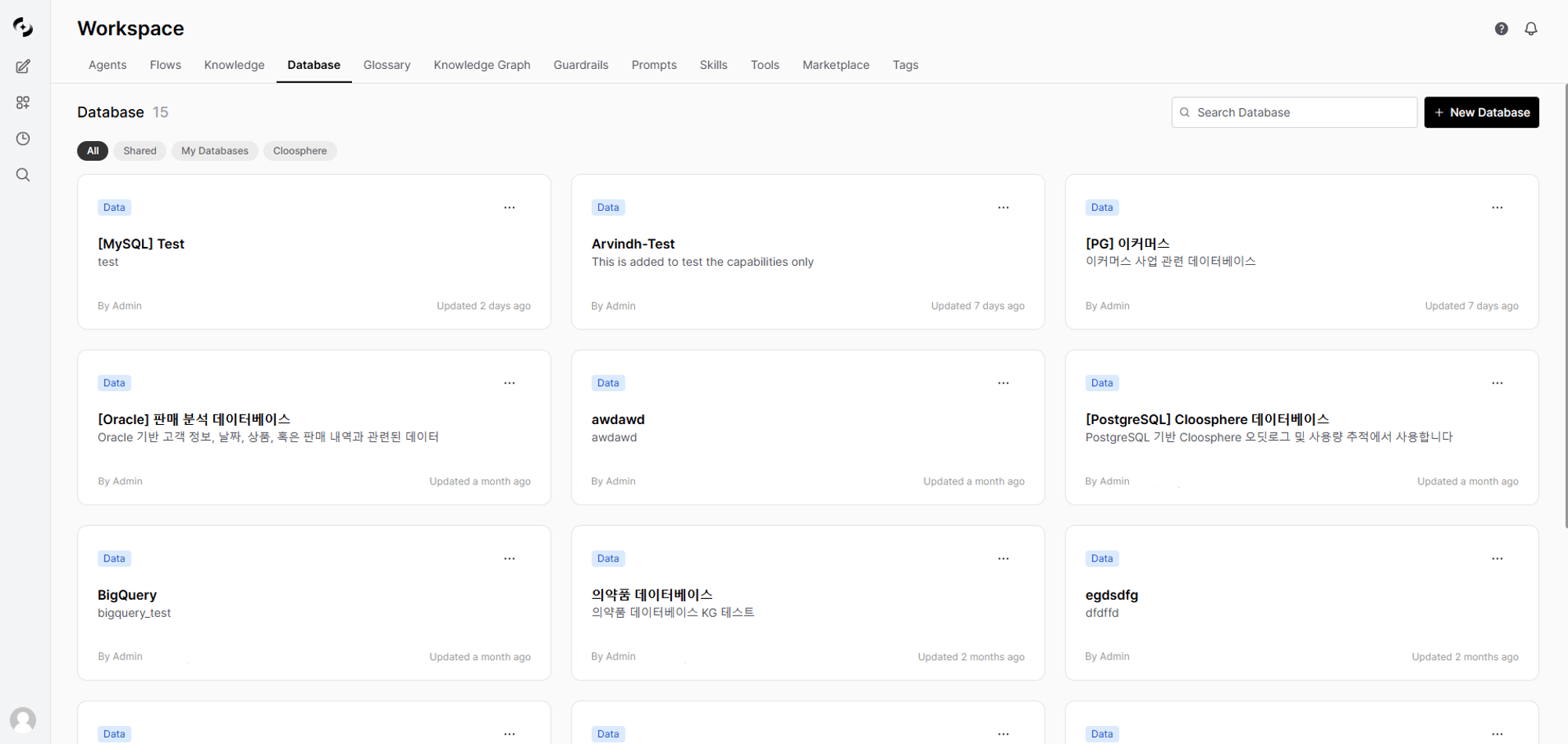
View connected DBs in Workspace > Database
NL-to-SQL Pipeline
Supported Databases
10 databases are supported by default.DBSPHERE_TYPES environment variable.Connect a Database
Enter basic information
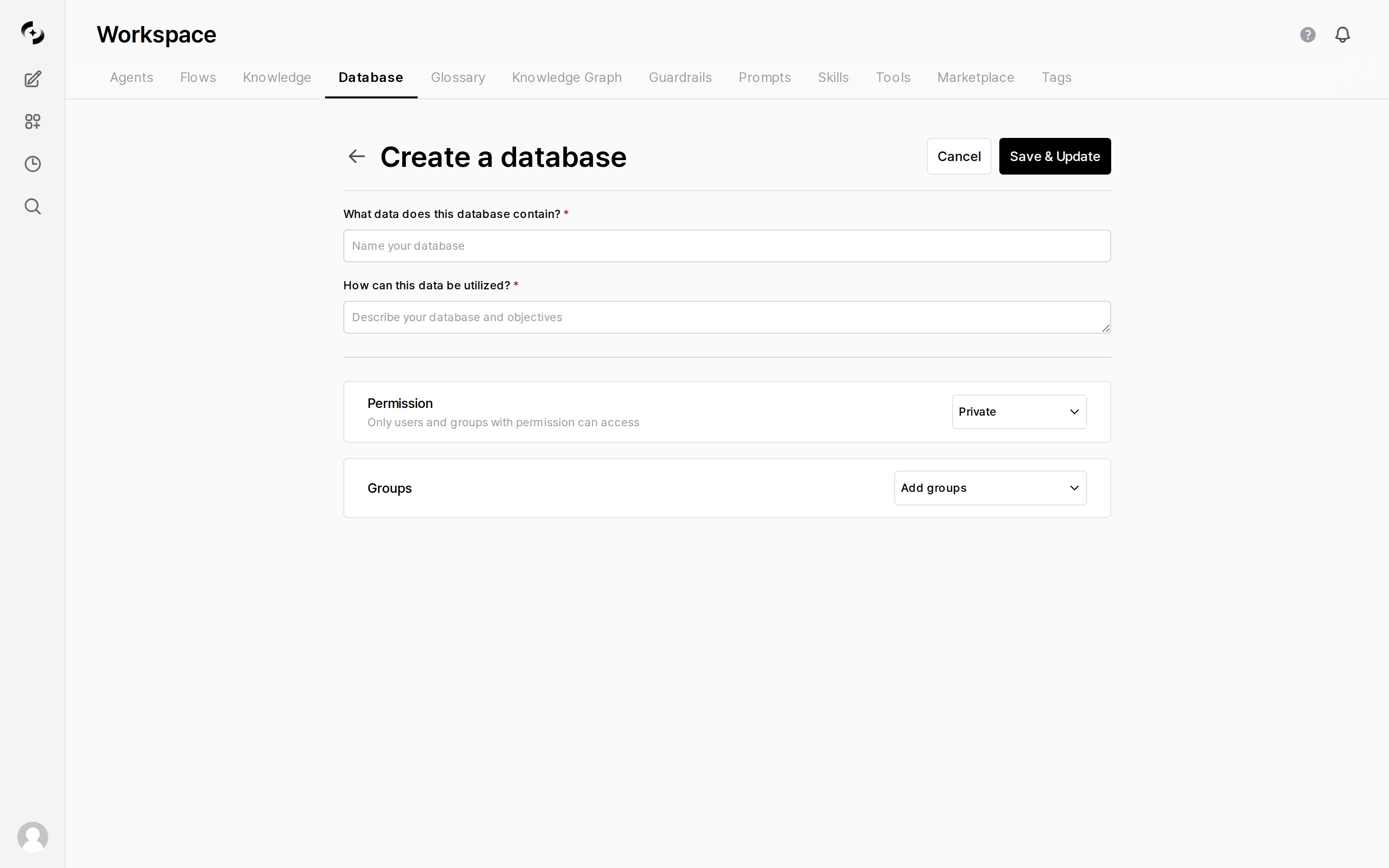
Enter name, description, and permissions
Enter connection info
Per-DB additional fields
Per-DB additional fields
Test connection
Pick tables
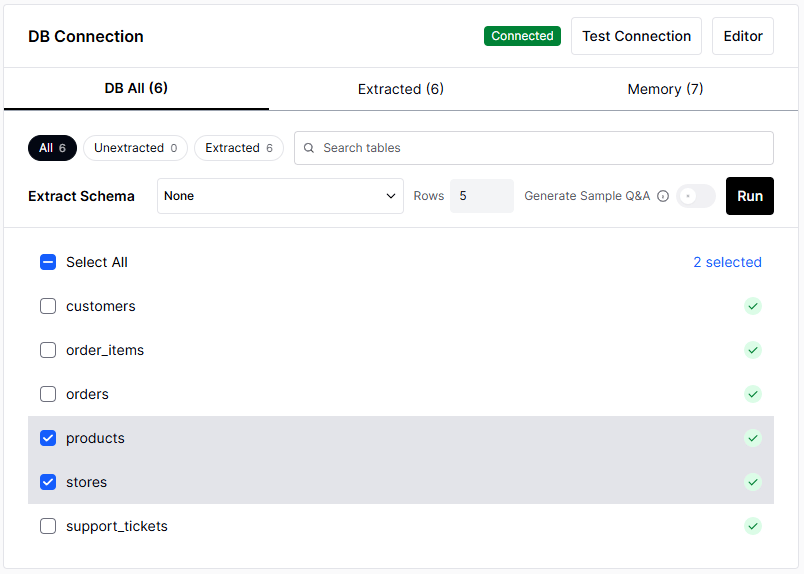
Select only tables the AI should access — exclude tables with sensitive data
Set tool description (optional)
Example tool description
Example tool description
Set access permissions
Activity History
Click Activity History at the top of the database detail screen to see changes made to this database in chronological order. Each row shows the action · who did it · the target · the exact timestamp, with the total count at the bottom of the dialog. Use it to trace when the connection details or table selection changed.How the AI Generates SQL
When you connect a DB to an agent, user questions go through this process to become SQL.Memory System
DbSphere uses 4 types of memory to improve SQL generation accuracy. The more memory, the more accurate the AI’s queries.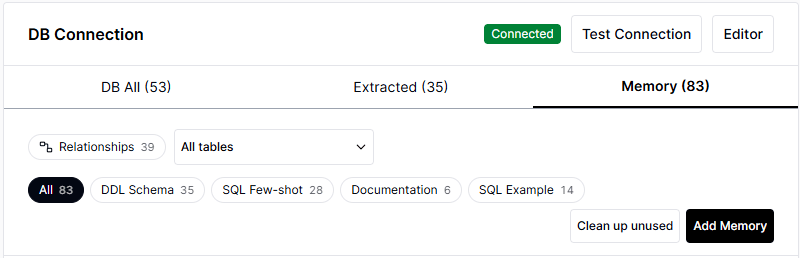
Manage 4 memory types in the Memory tab
Improve Accuracy with DDL Schema Descriptions
Adding business descriptions to the tables and columns in DDL Schema memory greatly improves the AI’s SQL generation accuracy. After schema extraction, go to Memory tab → click DDL Schema → Edit and enter descriptions for each table and column.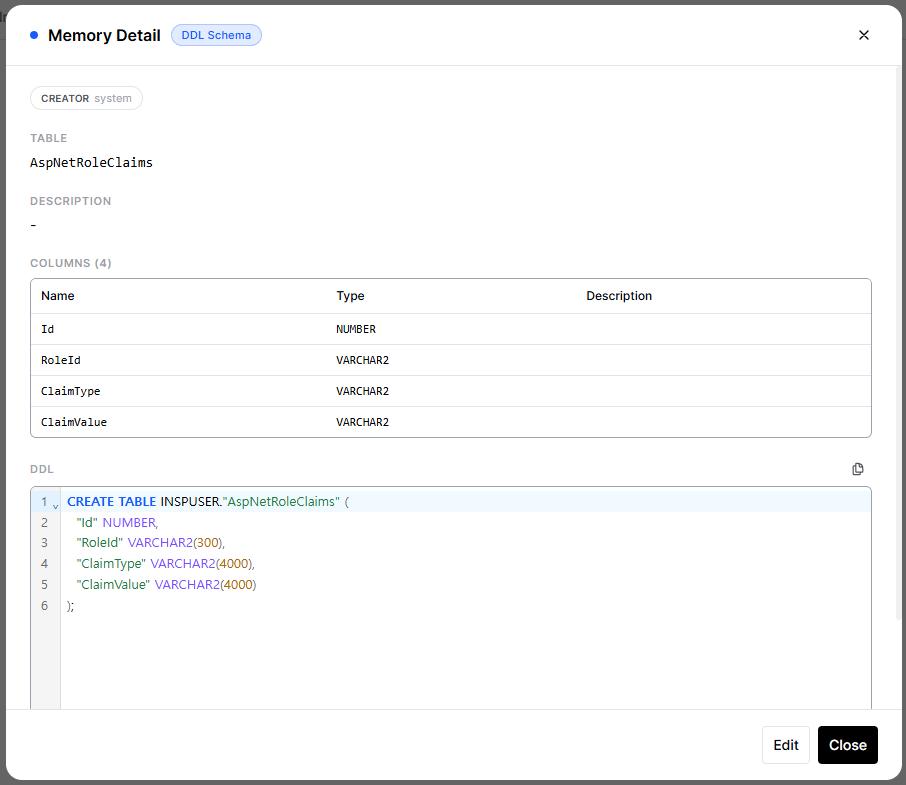
Enter table and column descriptions under Memory tab → DDL Schema → Edit
Example schema description
Example schema description
SQL Few-shot is Key
SQL Few-shot is a few-shot learning memory where successful queries are auto-saved.Documentation Use
Tell the AI about business rules it doesn’t know via Documentation.Data Visualization
SQL results are provided as a table by default. When you ask (e.g., “show me a chart”), they’re visualized with a chart suited to the data, and you can switch directly via the chart-type toggle at the top of the results.Querying Databases
Connect to an Agent
- In the agent edit screen, click “Select Database” in the “Database” section
- Pick the database to connect
- Click Apply
Use in Chat
When you chat with an agent that has databases connected, the AI analyzes the question and auto-generates and runs SQL.Example Questions
- Revenue Analysis
- Customer Analysis
- Inventory
- HR
Reviewing SQL Execution Results
A “SQL Query” button appears below the AI response. Click to see the actual SQL run and detailed results.Export to CSV at the top-right of the chat result table.DB Dialect Differences
Each DB has slightly different SQL syntax. Cloosphere dynamically injects per-DB dialect rules into the system prompt when converting natural language to SQL, guiding the AI to produce correct SQL. Still, expressing intent clearly produces more accurate SQL.Key Differences
System Auto-Correction vs. User Responsibility
Handled automatically:- Dashboard period filter (
$st/$edplaceholders): auto-converted to per-DB date literals - Identifier quoting during Knowledge Graph value extraction: auto-selects per-DB quotes
- Per-DB dialect rules dynamically injected into the AI’s system prompt (LIMIT, date, identifiers, etc.)
- When you write Korean/special-char column names directly in natural-language queries — the AI may miss quotes and fail
- Oracle empty-string comparisons (see Oracle quirks below)
- Complex window functions and CTEs vary by DB — verify AI output
Oracle DB Quirks
Oracle has some behaviors that differ from ANSI SQL — worth knowing.Empty strings are treated as NULL ⚠️
Empty strings are treated as NULL ⚠️
'' (empty string) the same as NULL. So conditions like the following always return 0 rows:Date literals must use TO_DATE()
Date literals must use TO_DATE()
$st/$ed) auto-substitute as TO_DATE(...) when using Oracle. But you must specify it yourself when writing SQL directly in the SQL result screen.Date arithmetic uses direct ± instead of INTERVAL
Date arithmetic uses direct ± instead of INTERVAL
TRUNC(col, 'DD') instead of DATE_TRUNC(), and TO_CHAR(col, 'D') instead of EXTRACT(DOW FROM col) for day-of-week.Quoting Korean/special-char column names
Quoting Korean/special-char column names
AS 공장코드) directly causes ORA-00936: missing expression.Use FETCH FIRST instead of LIMIT
Use FETCH FIRST instead of LIMIT
Security
Data Modification Control
DbSphere is read-only by default. This is not a fixed property, though — it is a per-database setting you can turn on and off. The Allow data modifications switch at the top of the DB configuration modal decides this. As the on-screen caption puts it:Off: agent can only run SELECT (read-only). On: agent can also run INSERT/UPDATE/DELETE/DDL, but each call requires user approval.
Write Approval Flow
When modifications are allowed and the agent produces a write statement, it does not run right away — an approval card appears in the chat.Credential Protection
- DB passwords are stored encrypted
- Connection info is only viewable by users with access permission
Best Practices
Database Account Setup
- Create a dedicated account: Make a read-only account just for AI use
- Grant least privilege: Grant SELECT permission only on needed tables
- Set query limits: Configure timeout and result row limits
Table Selection
- Pick only what’s needed: Connecting all tables can confuse the AI
- Exclude sensitive data: Always exclude tables with PII or passwords
- Pick related tables together: Pick tables that need to JOIN together
Schema Description Writing
- Korean descriptions encouraged: Describe tables and columns using business terminology
- Add business context: Document possible values and meanings of “status” columns
- State relationships explicitly: Describe foreign-key relationships and JOIN conditions
Troubleshooting
Connection test fails
Connection test fails
The AI generates wrong SQL
The AI generates wrong SQL
Slow responses
Slow responses
FAQ
Can the data be modified?
Can the data be modified?
Can I see the executed SQL?
Can I see the executed SQL?
Can I JOIN multiple tables?
Can I JOIN multiple tables?
Can one agent connect multiple databases?
Can one agent connect multiple databases?
What's different when picking a model during schema extraction?
What's different when picking a model during schema extraction?