
User Profile › Admin Panel
- Control all platform settings: user management, organizational structure, LLM connections, security policies, notification channels, and more.
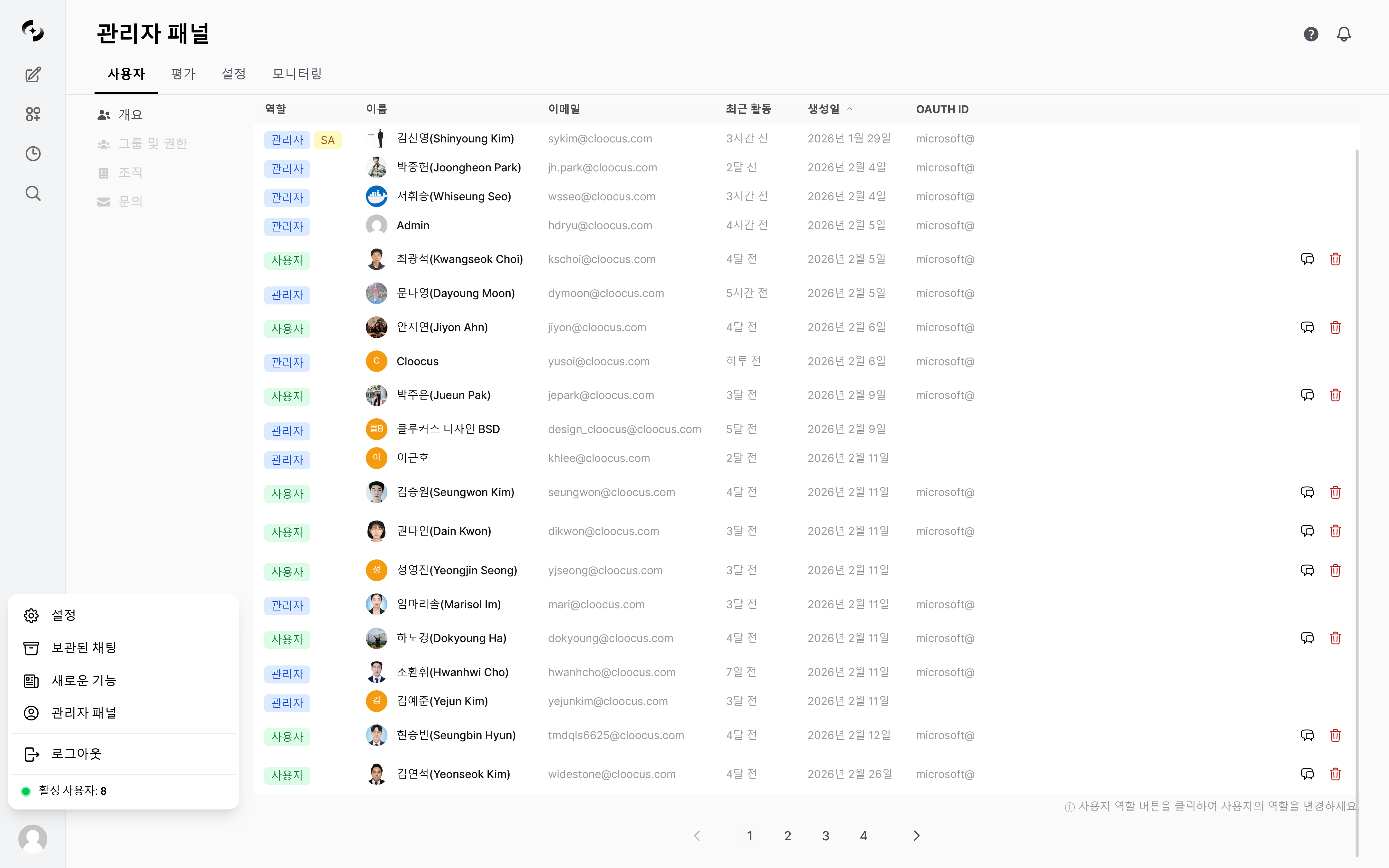
Admin panel entry path and main screen
Only users with the Admin role can access the admin panel. Regular users (User role) won’t see the admin menu. Click your user name at the bottom of the sidebar to reveal the Admin Panel menu.
Users
User list · role assignment, group permissions, organization management, inquiry handling
Settings
LLM connections · documents · search · guardrails · channels · code gateway · license, and other Settings tabs
Monitoring
Dashboard · usage · audit · guardrail · conversation · file logs
Evaluation
Arena · leaderboard · feedback · auto-evaluation · tracing
Per-Role Access
Cloosphere has three user roles.- Admin panel access is determined by role.
Admin Panel Navigation
The admin panel switches between feature areas via top-tab navigation. Click a tab to see its sub-menus and navigation paths.- Users
- Settings
- Monitoring
- Evaluation
Manage user accounts, permissions, and organizations.
Quick Start
1
Configure LLM connections
Register OpenAI API keys or Ollama server URLs in Connections.
2
Manage users
Add users and assign roles in User Management. Create groups for organized permission management.
3
Configure security
Set authentication methods, JWT expiration, and signup permission in General.
4
Set up channels
Register email or webhook channels in Channels to enable scheduled task notifications.
Service Request (SR)
A feature for admins to directly submit service requests (usage increases, feature inquiries, bug reports, etc.) to the Cloosphere operations team.Activation Conditions
Activated when both theSR_KEY and CLOOCUS_PUBLIC_URL environment variables are set.
- Without them, the menu doesn’t appear.
How to Use
1
Pick Service Request from the user menu
Click your user avatar at the bottom of the sidebar, then pick Service Request from the dropdown.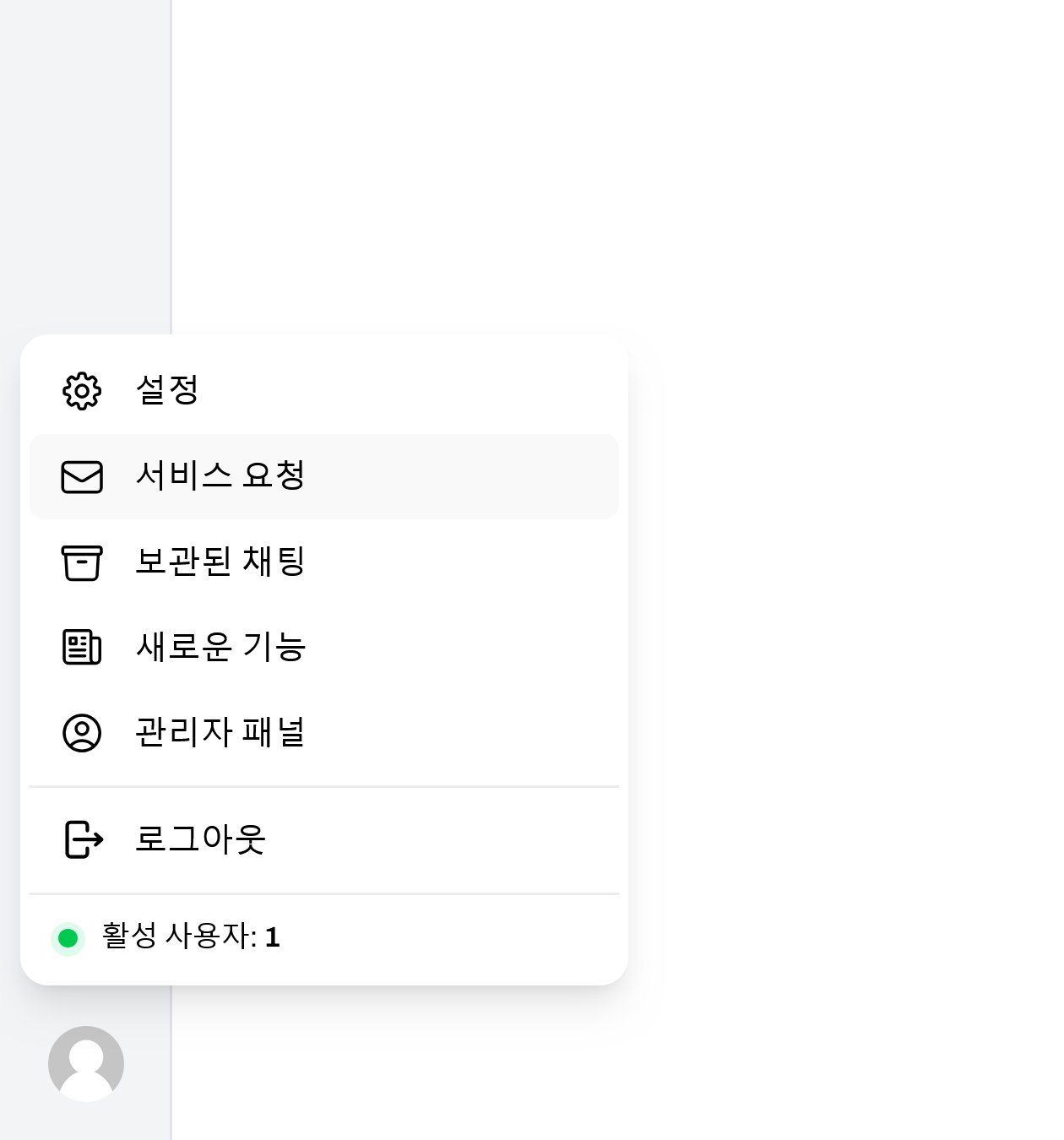
2
Fill in and submit the request
Enter the type, title, and content in the modal, then click Submit.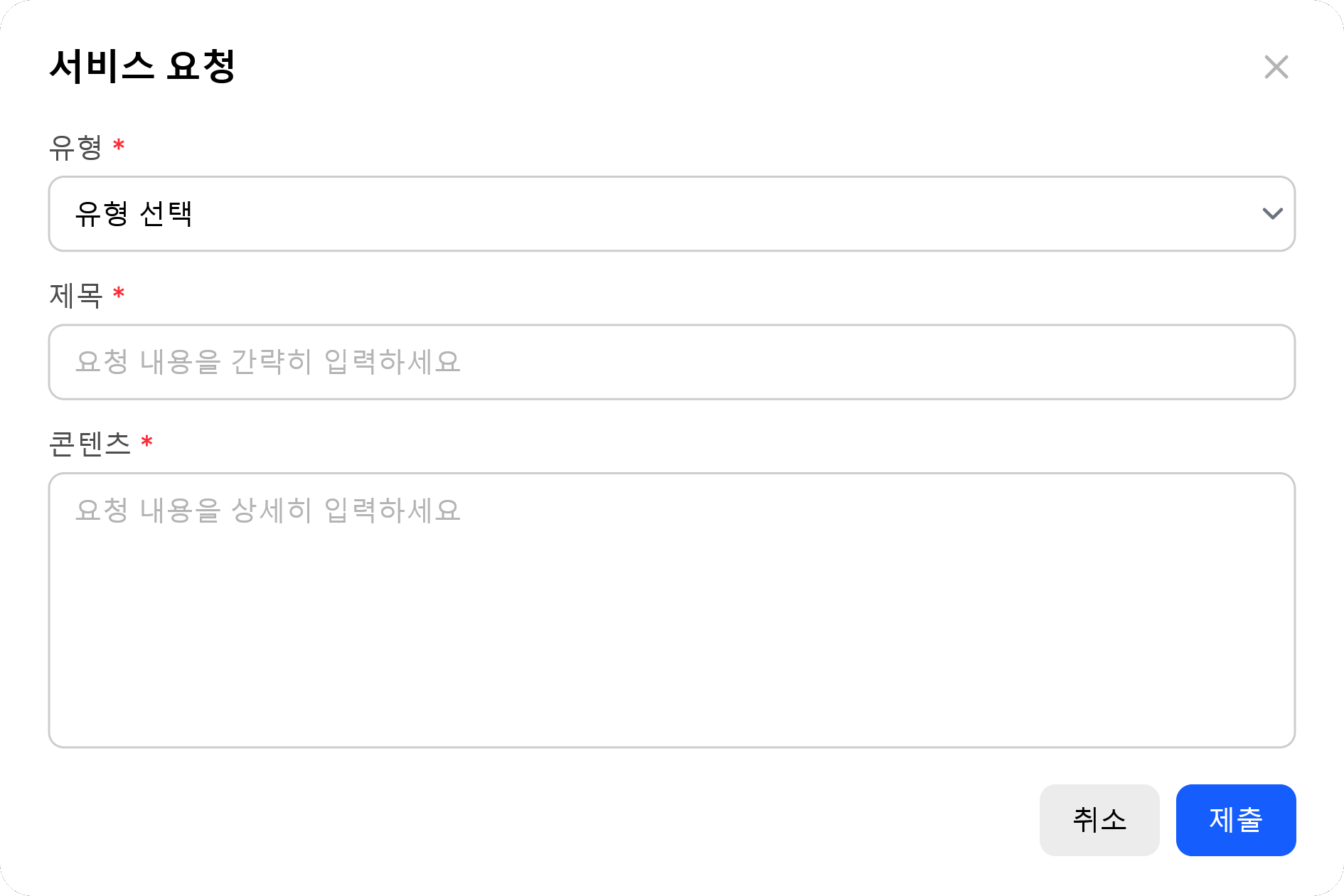
Requester name and email are auto-attached from sign-in info. SR is shown only to Admin role users.