
Admin › Settings › Guardrails
- Use them to enforce a minimum input/output validation baseline across the entire organization.
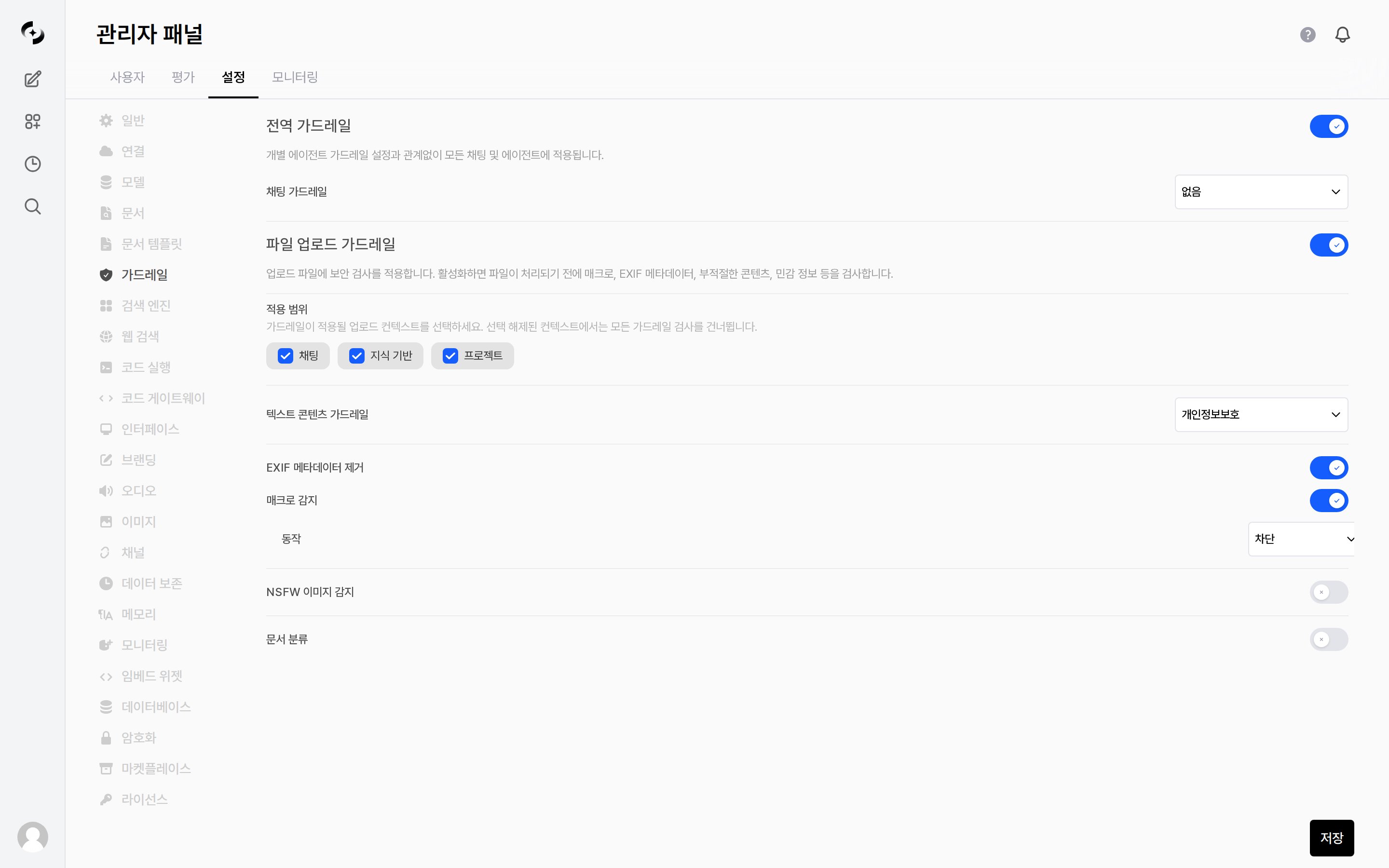
Admin > Settings > Guardrails — global guardrails · file upload checks
What this tab shows depends on your license feature keys. The tab itself requires the
file_guardrail module, and the Global Guardrails section requires global_guardrail.Global Guardrails
The guardrails themselves (the check rules) are defined in Workspace › Guardrails. This page is where you choose which of them to enforce globally.
File Upload Guardrails
Apply security checks to uploaded files.- Turning the toggle on reveals the Applied Scopes and the checks below; the checks run before a file is processed.
Applied Scopes
Choose which upload paths the guardrails apply to — Chat · Knowledge · Project. Unchecked contexts skip all guardrail checks.Checks
Text Content Guardrails, NSFW Image Detection and Document Classification require a model or guardrail to be selected. EXIF Metadata Stripping and Macro Detection are static checks that run without a model.
Macro Detection
When the toggle is on, an Action can be chosen.NSFW Image Detection
Document Classification
Guardrail Application Priority
Guardrails can be set at multiple layers. Rather than only one applying by priority, guardrails from all layers are combined (union) and applied together.Global guardrails can also be managed in Code Gateway. If you turn off
Inherit global guardrails at the organizational unit level, that OU is not affected by global guardrails — see Organization management.