
Admin › Users › Inquiries
Sending User Inquiries
Regular users open the account (profile) button at the very bottom of the sidebar and pick Contact Admin. The item is hidden for accounts with the
admin role — admins see the same data under Admin Panel › Users › Inquiries.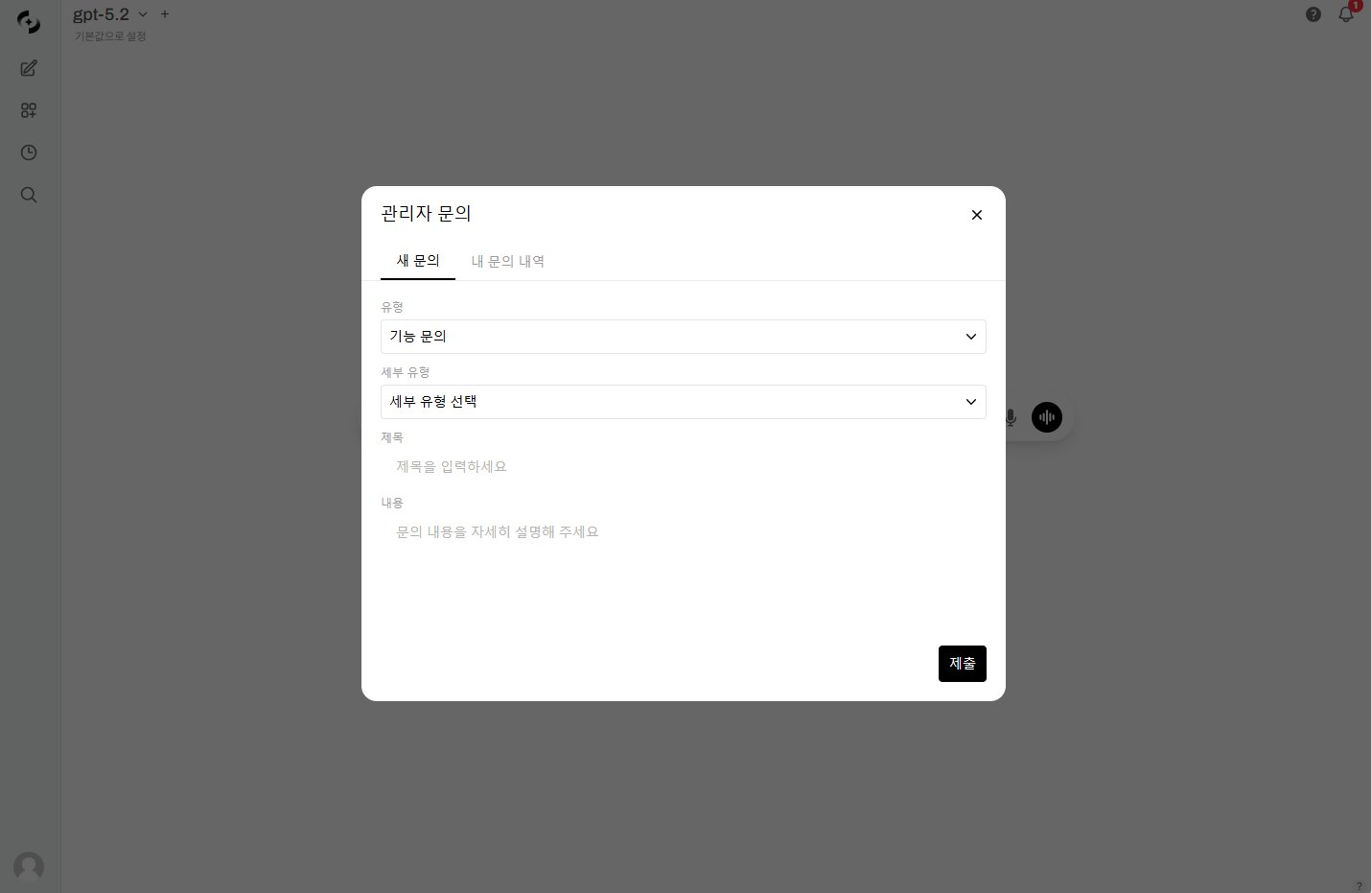
User inquiry modal
After submitting, the modal switches to My Inquiries automatically so the new inquiry shows up in the list.
Types and subtypes
A subtype can only be picked after choosing a type, and changing the type resets the subtype you already picked.
Handling Admin Inquiries
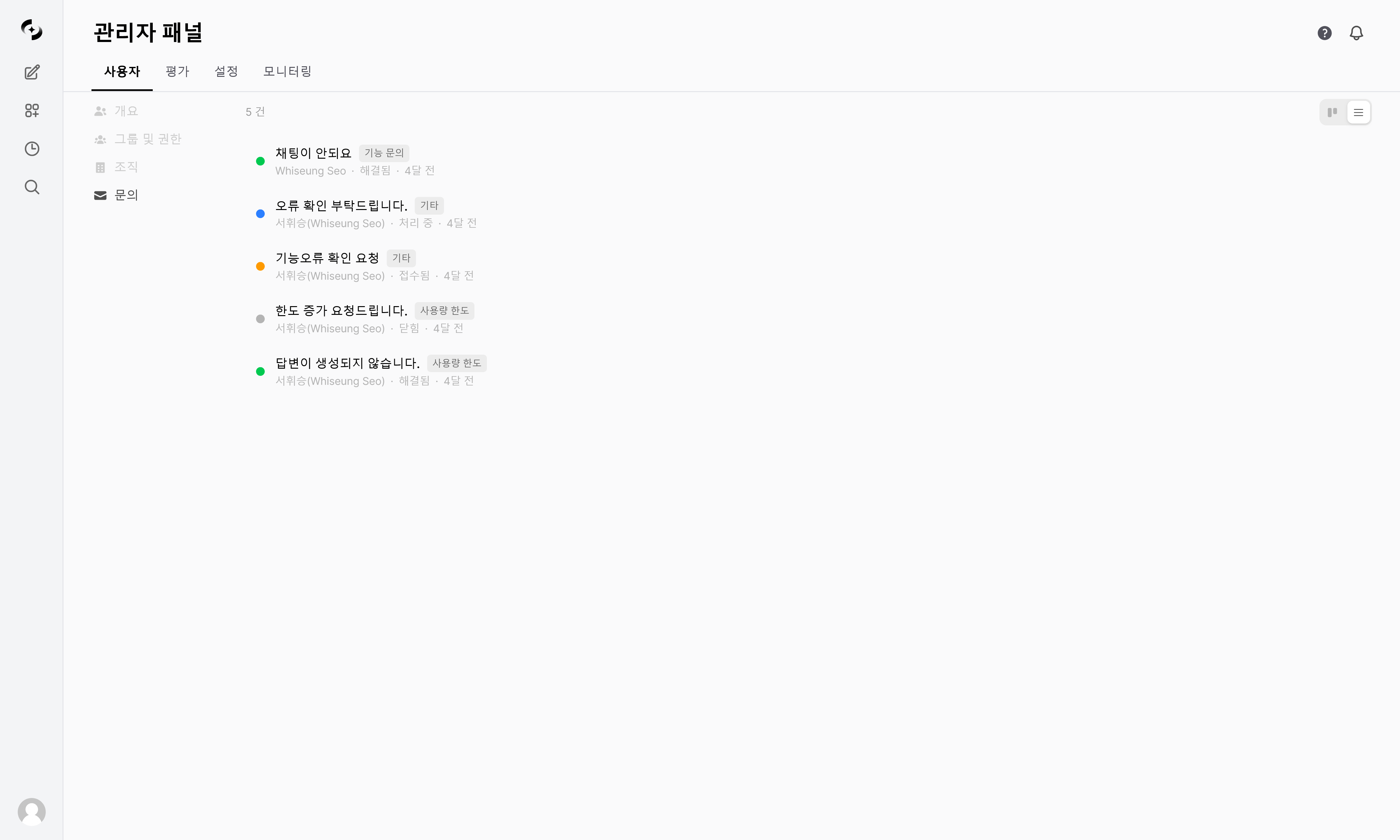
Manage received inquiries in the Inquiries tab. The total count appears at the top left, and the toggle at the top right switches between Kanban and List.
- Kanban view
- List view
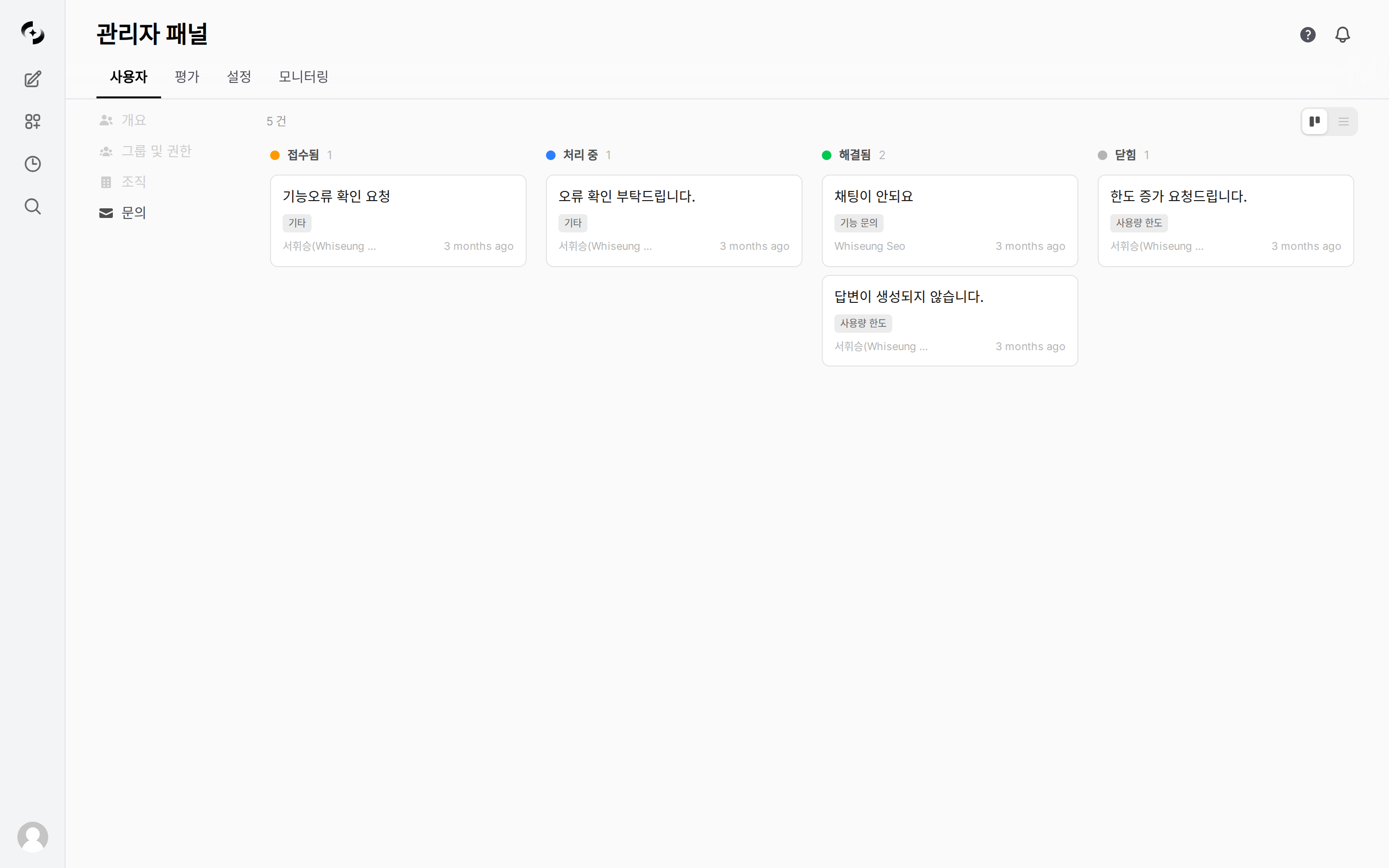
Inquiry management Kanban view
Replying
Click a card or row to open the detail panel. There are exactly two things an admin can change: Status and Admin Note.Admins cannot edit an inquiry’s body, title, or type. If you need clarification, ask for it in the admin note.
Related Pages
User Management
User list, roles, add/edit, usage limits
Groups & Permissions
Permission groups, 3-level tiers (None/Read/Write), OU mapping
Service Request
Service requests admins send to the operations team