
Admin › Settings › Data Retention
- Use this to manage storage and comply with data retention policies.
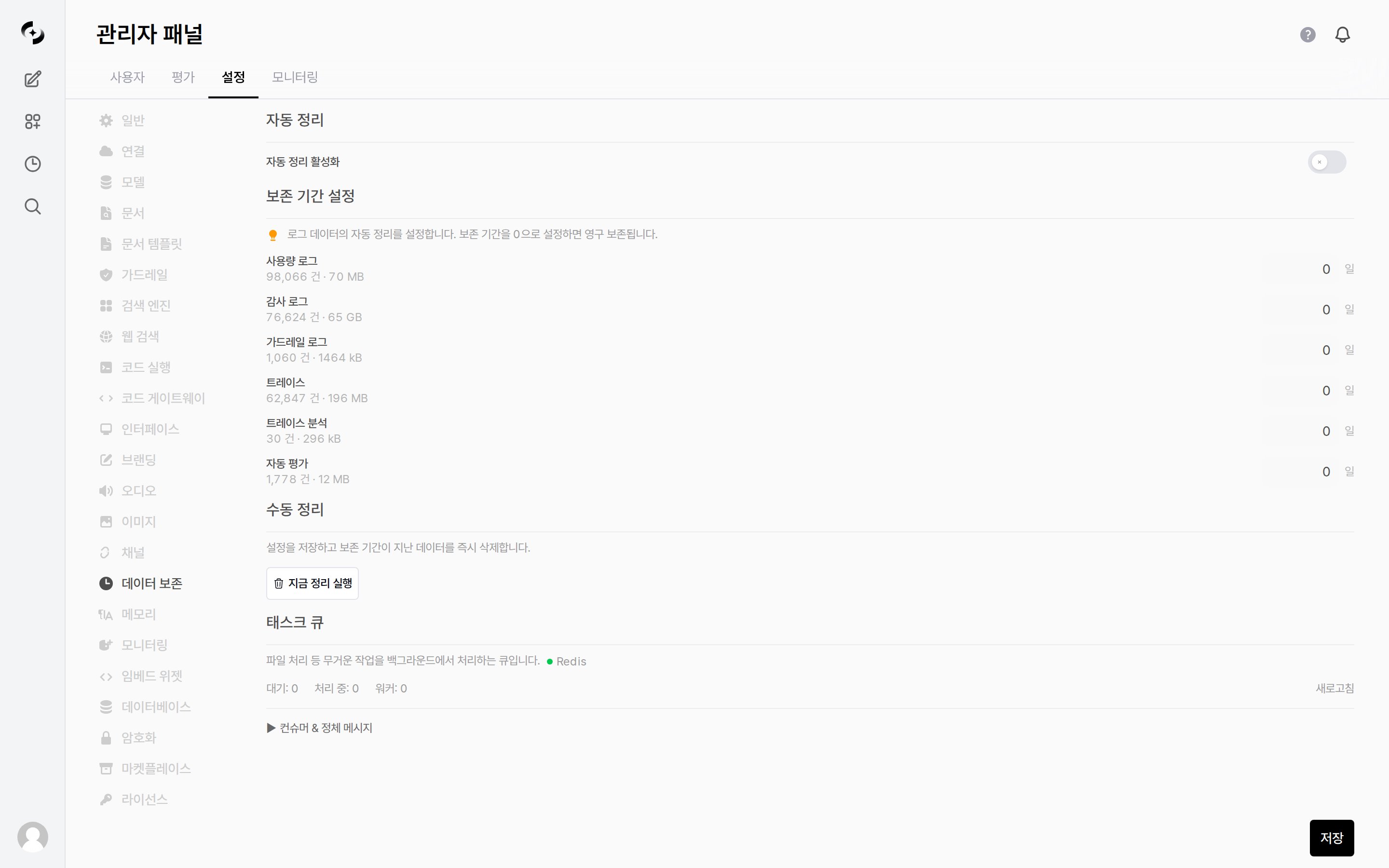
Admin > Settings > Data Retention — automatic/manual cleanup and task queue
Automatic Cleanup
When Enable Auto Cleanup (off by default) is on, data past the configured retention period is deleted automatically every day.- Turning the toggle on also reveals a Cleanup Time dropdown. Pick the hour the cleanup job runs; the default is
03:00.
Retention Targets
Set the retention period (days) individually for each data type.- Under each type name, the current record count and storage size are shown, so you can tell what to trim first.
Manual Cleanup
Clicking Run Cleanup Now saves the current settings and immediately deletes data past the retention period.If every retention period is
0, nothing runs and the message “Set retention period for at least one log type before cleanup” is shown.Task Queue
Check the status of the work queue that processes heavy tasks (like file processing) in the background.- The queue backend is shown next to the description — Redis when connected to Redis, otherwise In-process (handled inside the server process).
Consumers & Stuck Messages
Expanding▶ Consumers & Stuck Messages shows the Consumers (N) list and the Oldest pending messages (N) list, along with two buttons.