
Admin › Settings › Monitoring
This page is for external observability stack integration. It differs from the Monitoring tab, where you view usage and logs directly in the UI.
- A deployment package composed of Prometheus, Grafana, Loki, and the OTEL Collector is provided.
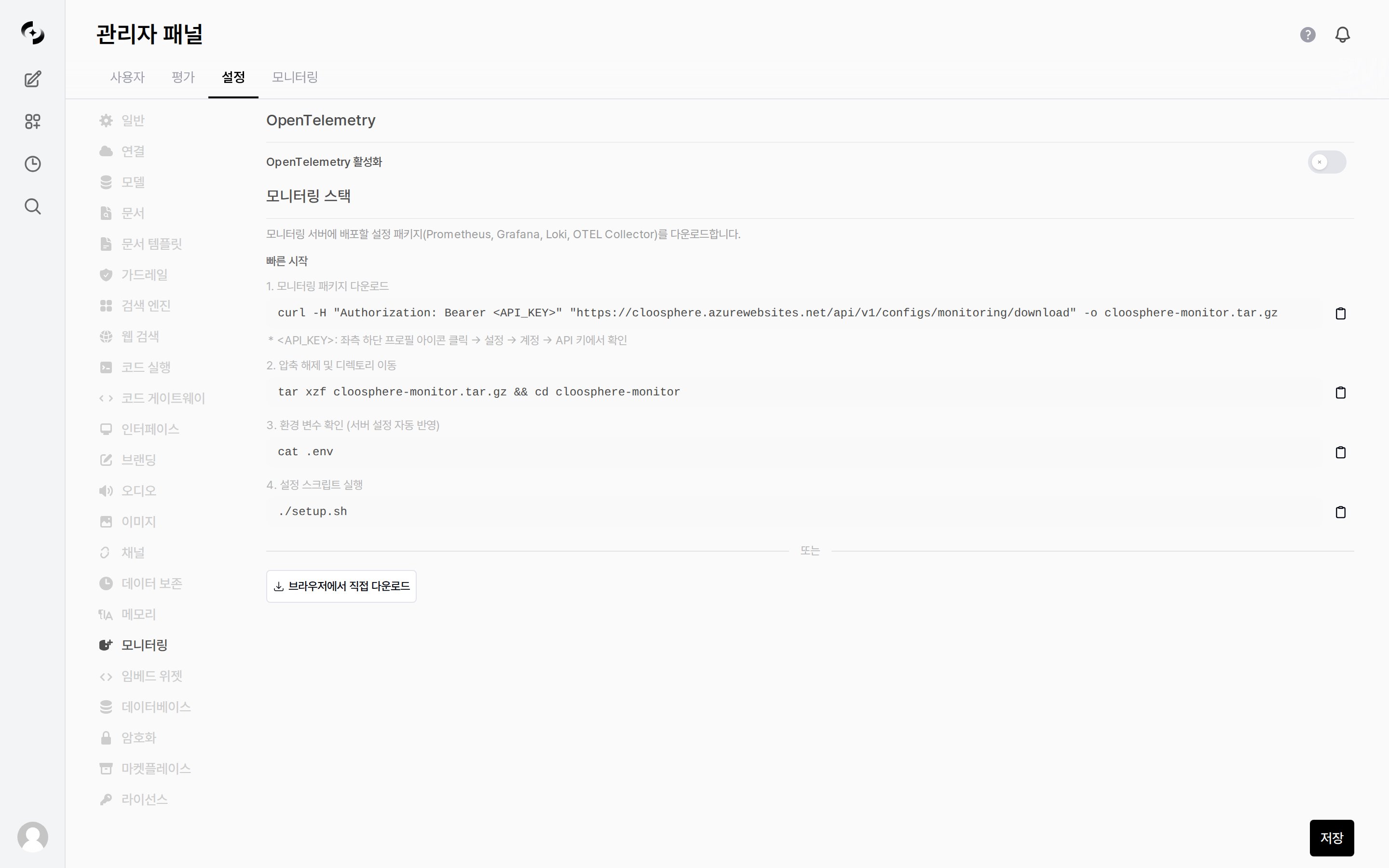
Admin > Settings > Monitoring — OpenTelemetry and monitoring stack package
Enabling OpenTelemetry
Turning on the Enable OpenTelemetry toggle starts OTEL-based telemetry collection and export.- Enabling it reveals the following settings.
Deploying the Monitoring Stack
Download and install the configuration package (Prometheus, Grafana, Loki, OTEL Collector) to deploy on your monitoring server.1
Download the package
<API_KEY> under profile icon (bottom left) → Settings → Account → API Keys. You can also use the Download directly in browser button on the screen.2
Extract
3
Check environment variables
4
Run the setup script
The health endpoints external monitoring polls (
/health/db, /health/redis, /health/full) and multi-worker operational checks are covered in the Deployment checklist.