
Admin › Settings › Memory
- On this page you manage the model used for memory extraction, the extraction quality bar, and the retention period.
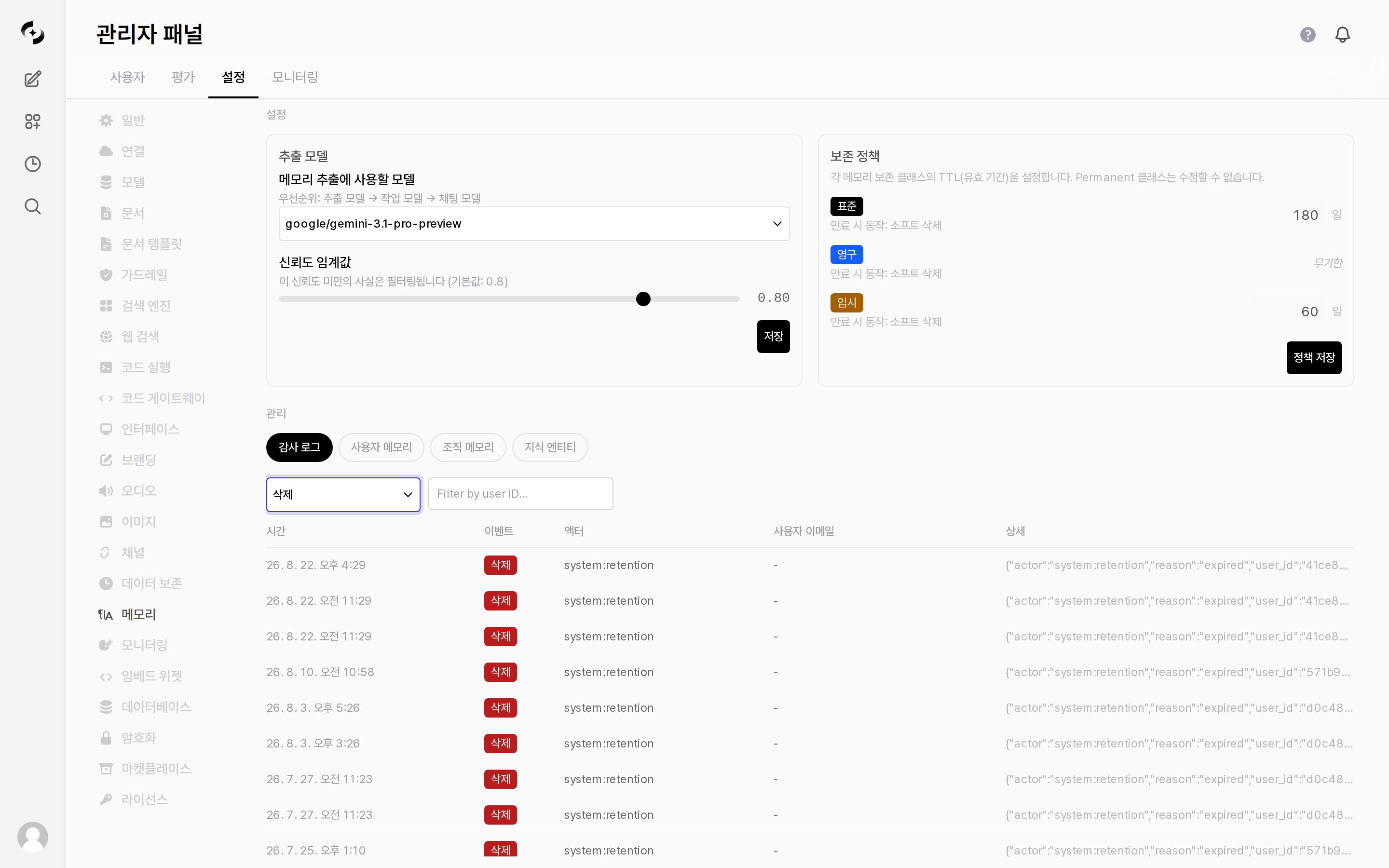
Admin > Settings > Memory — extraction model · confidence threshold · retention policy
Extraction Settings
The left card in theConfiguration section. Changes only take effect after pressing Save inside that card.
Adjusting the confidence threshold:
- Higher — only confident facts are stored, reducing wrong memories, but useful information may be missed.
- Lower — remembers more facts, but inaccurate or trivial content may also be stored.
Retention Policy
The right card in theConfiguration section. Memory has different valid periods (TTL) per retention class, and each class shows its On expire action underneath.
- Expired memory is soft-deleted.
After changing the day counts, press Save Policies to apply them. That button is separate from the extraction settings’ Save.
Memory Management · Audit
View the memory change history in theManagement section, and inspect or clean up stored memory directly.
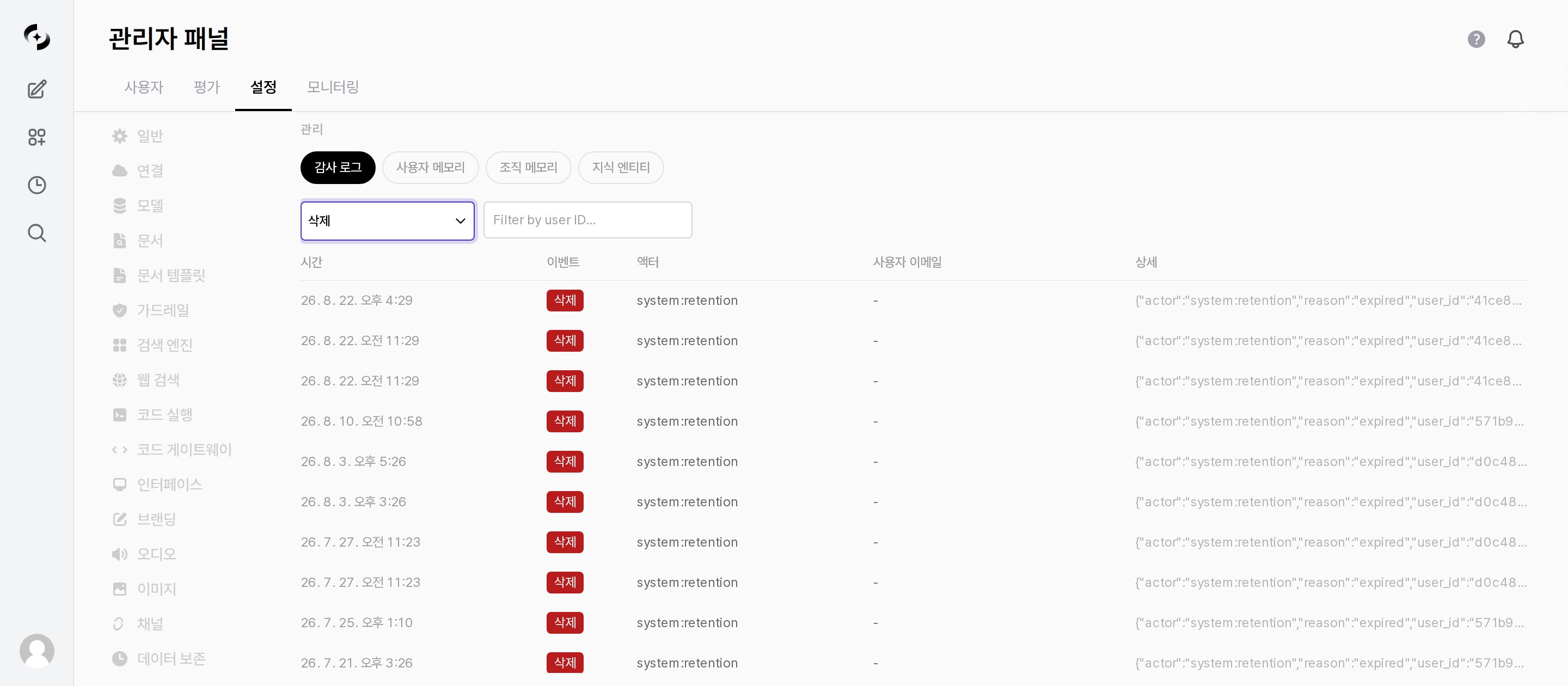
Admin > Settings > Memory > Management — Audit Log tab
Audit Log
The list is paginated, with
Page N of M (total records) and Prev/Next buttons at the bottom.
The actor indicates the entity behind an event.
Rows whose actor is
system:* were performed by the system, so the User Email column shows -.