
Admin › Settings › Document Templates
- Registered templates apply your company’s formatting (fonts, colors, logo, theme) consistently to the output.
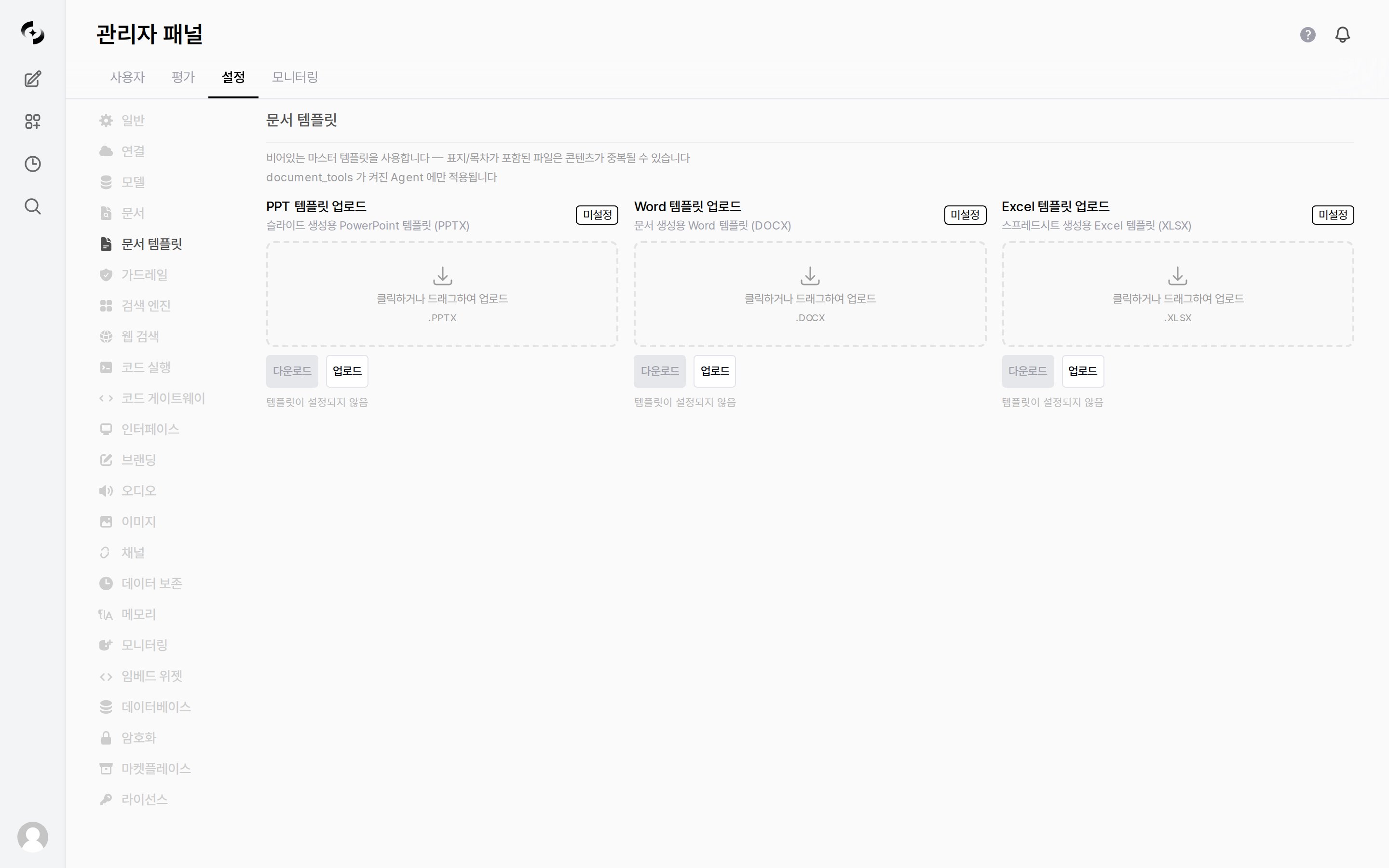
Admin > Settings > Document Templates — upload PPT · Word · Excel master templates
These templates apply only to agents with
document_tools enabled. Agents that don’t use document generation tools are unaffected.Supported Templates
Each item is uploaded by clicking or dragging. Before configuration, a
Not set badge and the text No template set are shown, and the Download button is disabled.
Once uploaded, the badge changes to Custom, the upload time is shown next to it, and the buttons expand as follows.
Corrupt files, or files that are not valid Office documents, are rejected on upload.