
Admin › Settings › Search Engine
- These settings are shared across Knowledge Bases (KbSphere), Glossaries, and DbSphere.
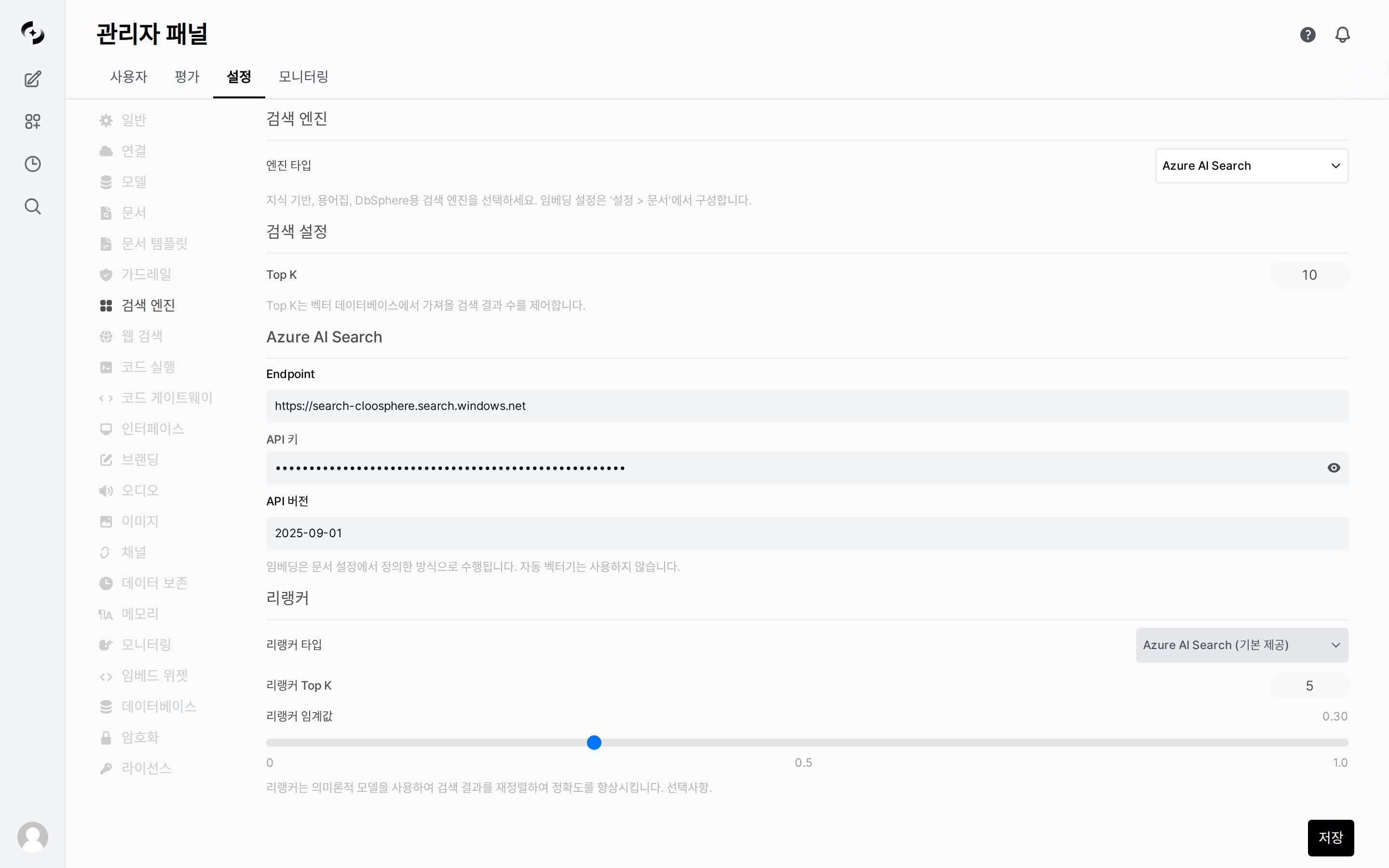
Search Engine settings tab
Search Engine Selection
- Azure AI Search
- pgvector
- Milvus
- Elasticsearch
- Vertex AI Search
Embedding engines and models are configured in the Settings > Documents tab. Vector dimensions must match between search engine and embedding settings.
Search Settings
Configure the number of results to retrieve from vector search.The
Default column in this section and the Reranker section below reflects a fresh installation. These values persist once saved, so a running deployment shows whatever the administrator saved. To see what is in effect right now, read the value on screen, not this table.
Adjusting Top K:
- Higher — retrieves more candidate documents and lowers the chance of missing the answer, but increases irrelevant results (noise), context tokens, and cost, and slows responses.
- Lower — precise, fast, and token-saving, but may miss the document containing the answer.
Reranker
The reranker re-ranks search results with a semantic model to improve accuracy (optional).- Select the reranker to use from the Reranker Type dropdown and configure the related parameters.
Tuning guide — Reranker Top K decides how many of the results fetched by Top K are finally used, so always keep it at or below Top K.
- Reranker Top K — Raising it passes more evidence to the LLM and reduces omissions but increases noise and tokens; lowering it keeps only the most relevant few for precision but may miss results.
- Reranker threshold — Raising it filters out low-relevance results and reduces noise, but setting it too high lets no results through and returns an empty search.
0passes everything with no filter.
When the search engine is set to Azure AI Search, an empty reranker type is filled in automatically with
Azure AI Search (built-in). So on an Azure AI Search deployment it already appears selected the first time you open the tab. Switching to another search engine resets it to Not configured.