
What is a Glossary?
A glossary stores domain-specific terms and their definitions, and the system references them automatically during AI conversations.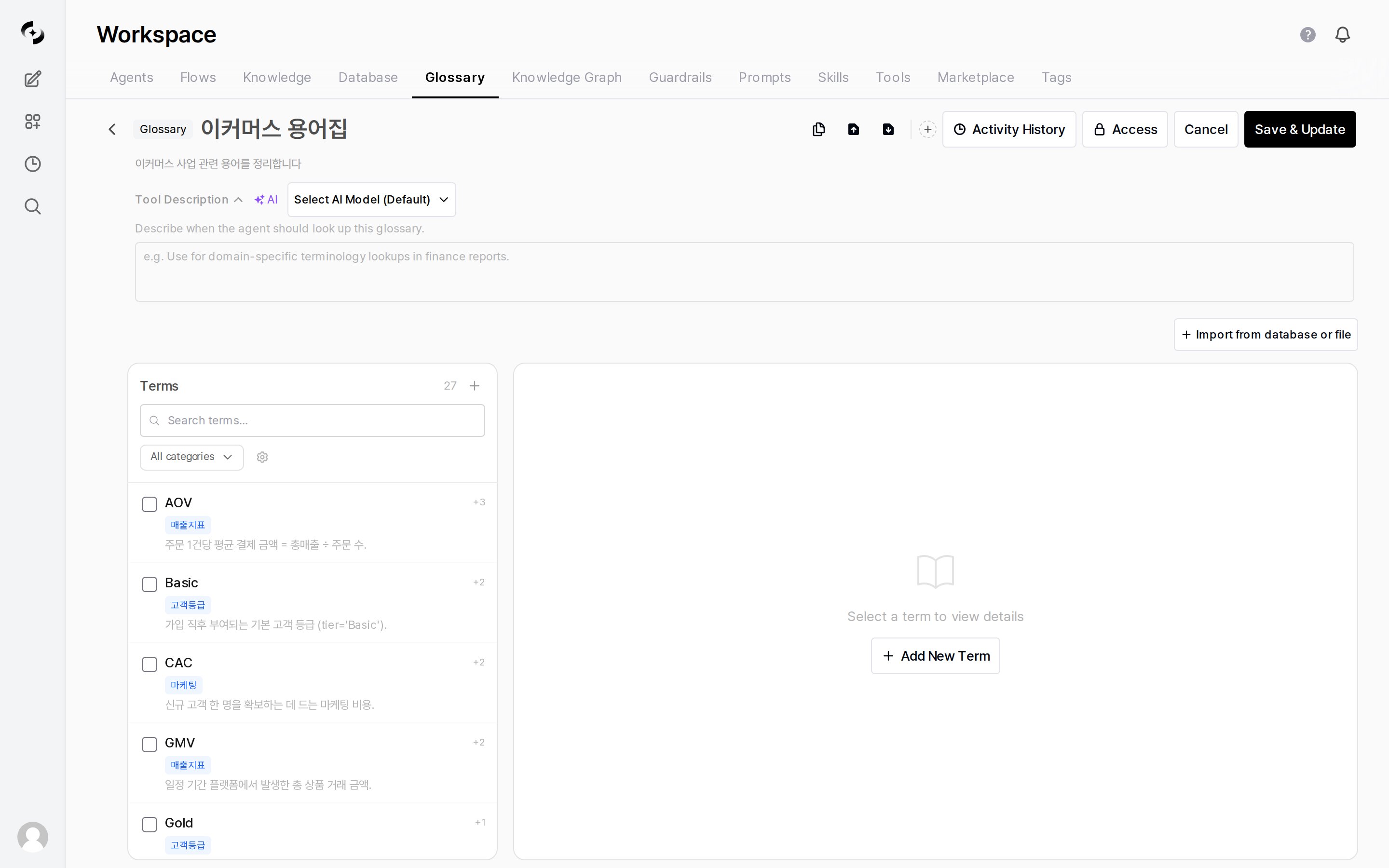
Add terms on the left and manage registered terms on the right
Why You Need a Glossary
Key Features
Glossary List
In Workspace > Glossary, view all glossaries. The list shows name, description, author, and modified date.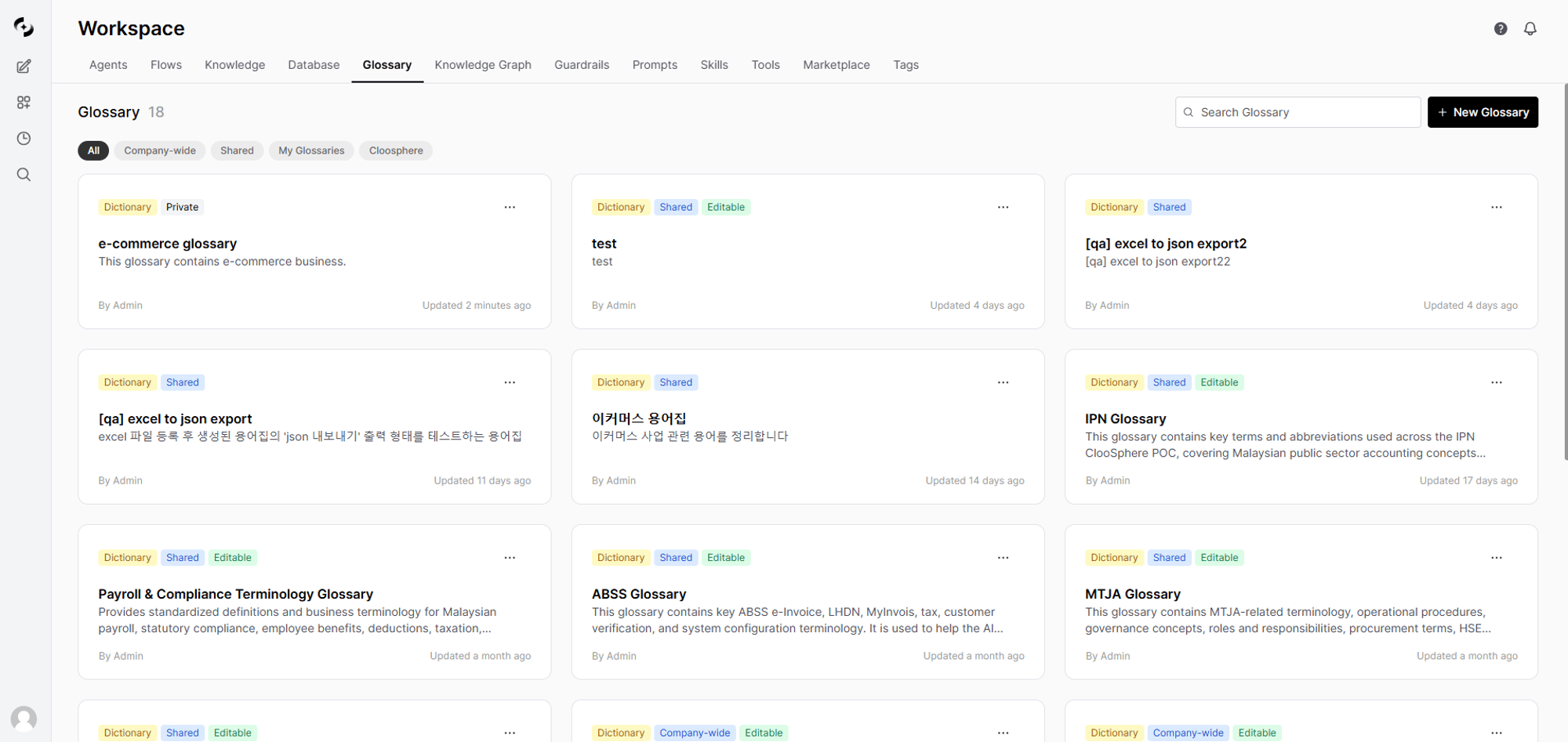
View all glossaries in Workspace > Glossary
Creating a Glossary
Enter basic information
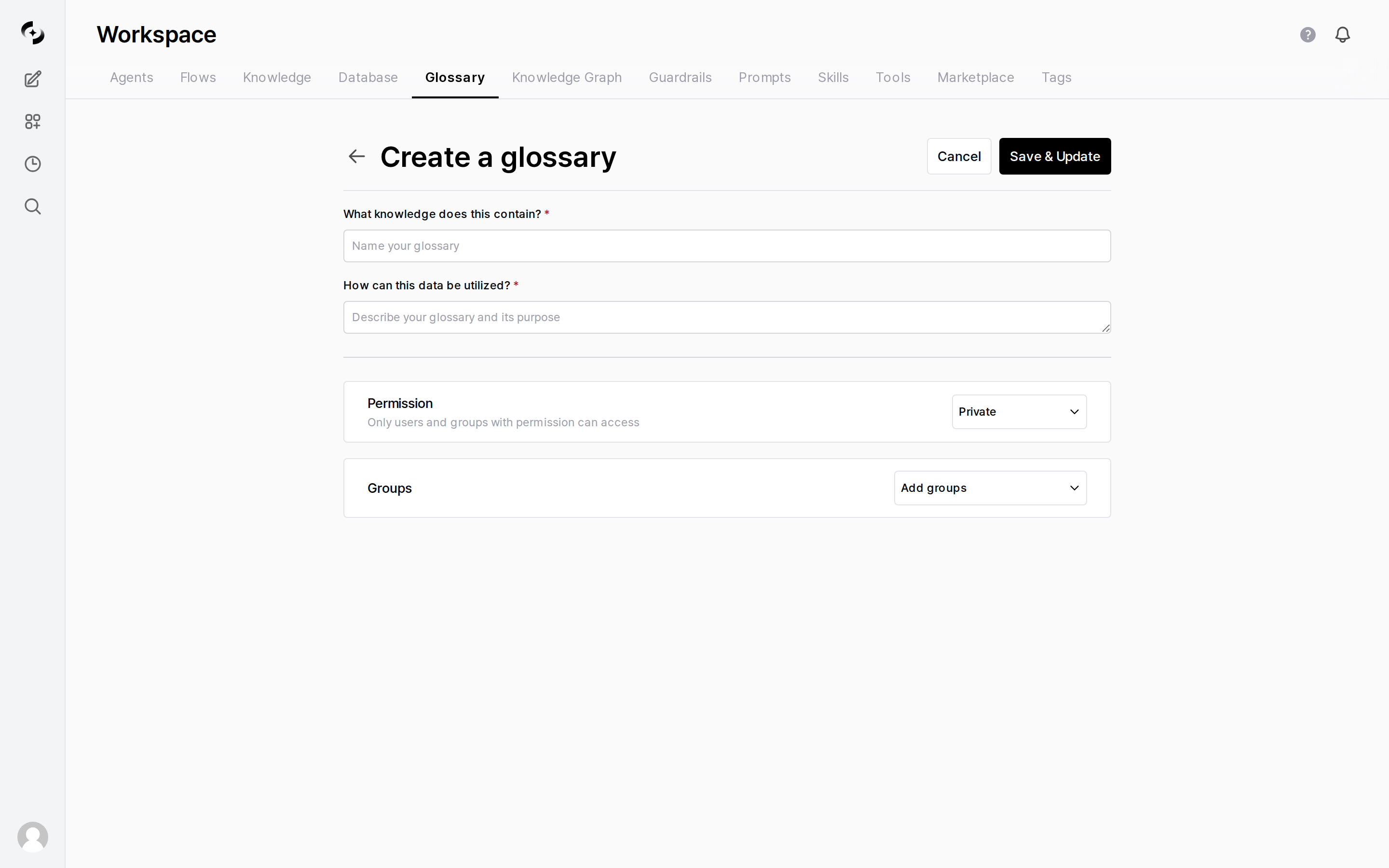
Enter name, description, and permissions
Set access permissions
Save
Adding Terms
Adding a Single Term
In the Term panel on the left of the glossary detail page, click the + button to add a term. After entering the term info, click ”+ Add” to save.Example of a Good Description
Bulk Import
Click ”+ Import from database or file” to import multiple terms at once from files in various formats.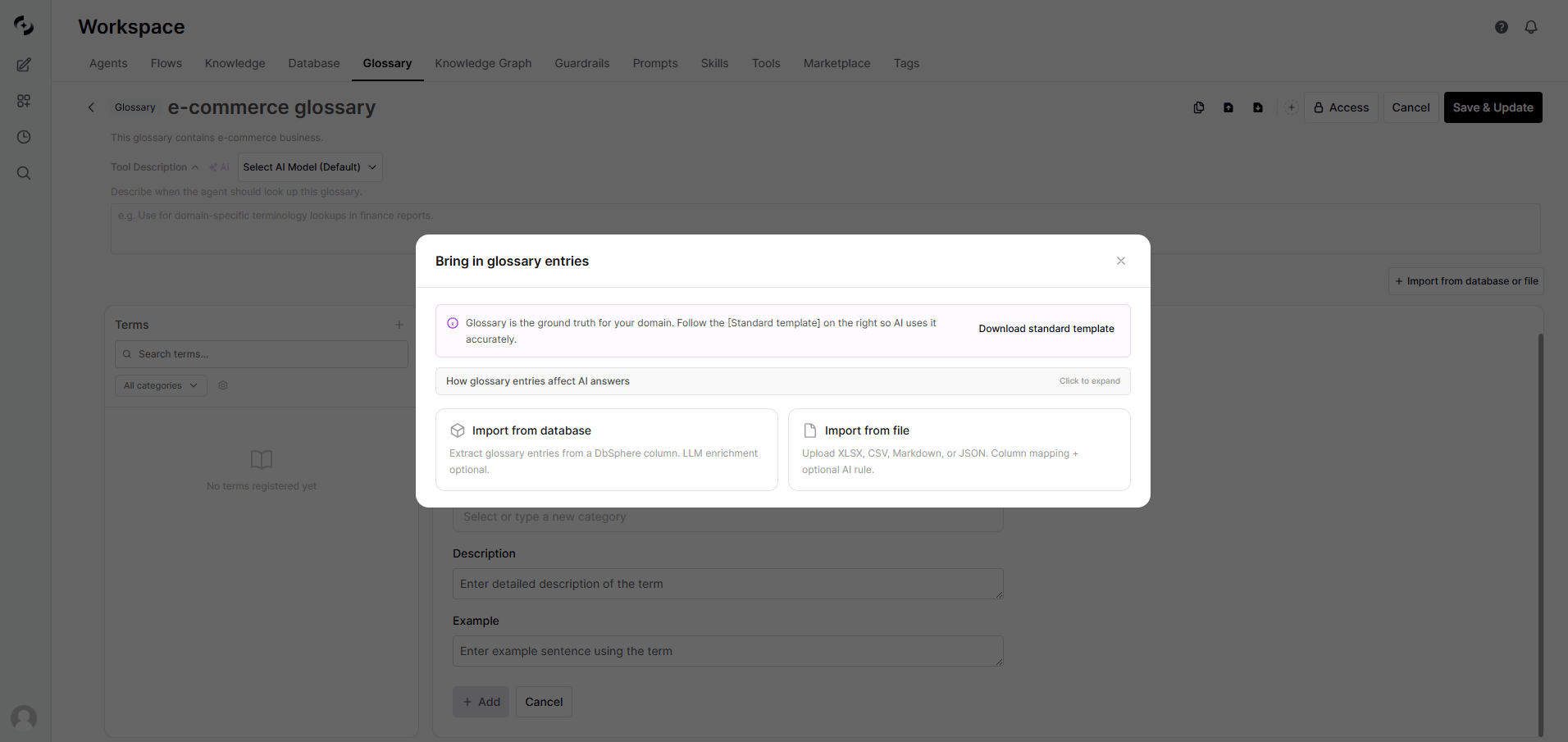
Select file upload to import multiple terms at once
Term Management
Search and Filter
- Search: Search by term, synonym, or description content in the search bar
- Category filter: Click category chips at the top to show only a specific category.
Filter options: “All Categories” / “Uncategorized” / per-category filter
- The term list uses infinite scroll (50 entries at a time)
Edit and Delete
Click a term to edit its content or delete it. Scroll position is preserved during edit/delete, and changes auto-sync with the search index.Export
Export all terms as a JSON file. Use for backup, team sharing, or migration to another environment.Activity History
Click Activity History at the top of the glossary detail screen to see the changes made to this glossary in chronological order. Each row shows the action · who did it · the target · the exact timestamp, with the total count at the bottom of the dialog. Use it to check who changed what, and when.Sync and Reindex
Adding/editing/deleting terms auto-syncs to the search index. If the search index becomes broken, manual reindex is possible:- Click the kebab menu (⋮) → Rebuild search index on the glossary card in the list
- Re-pushes all terms to the search engine
Category Management
Categories let you systematically classify terms by domain.Category Management Screen
Click the gear icon to the right of the category filter on the detail page to open the category management modal.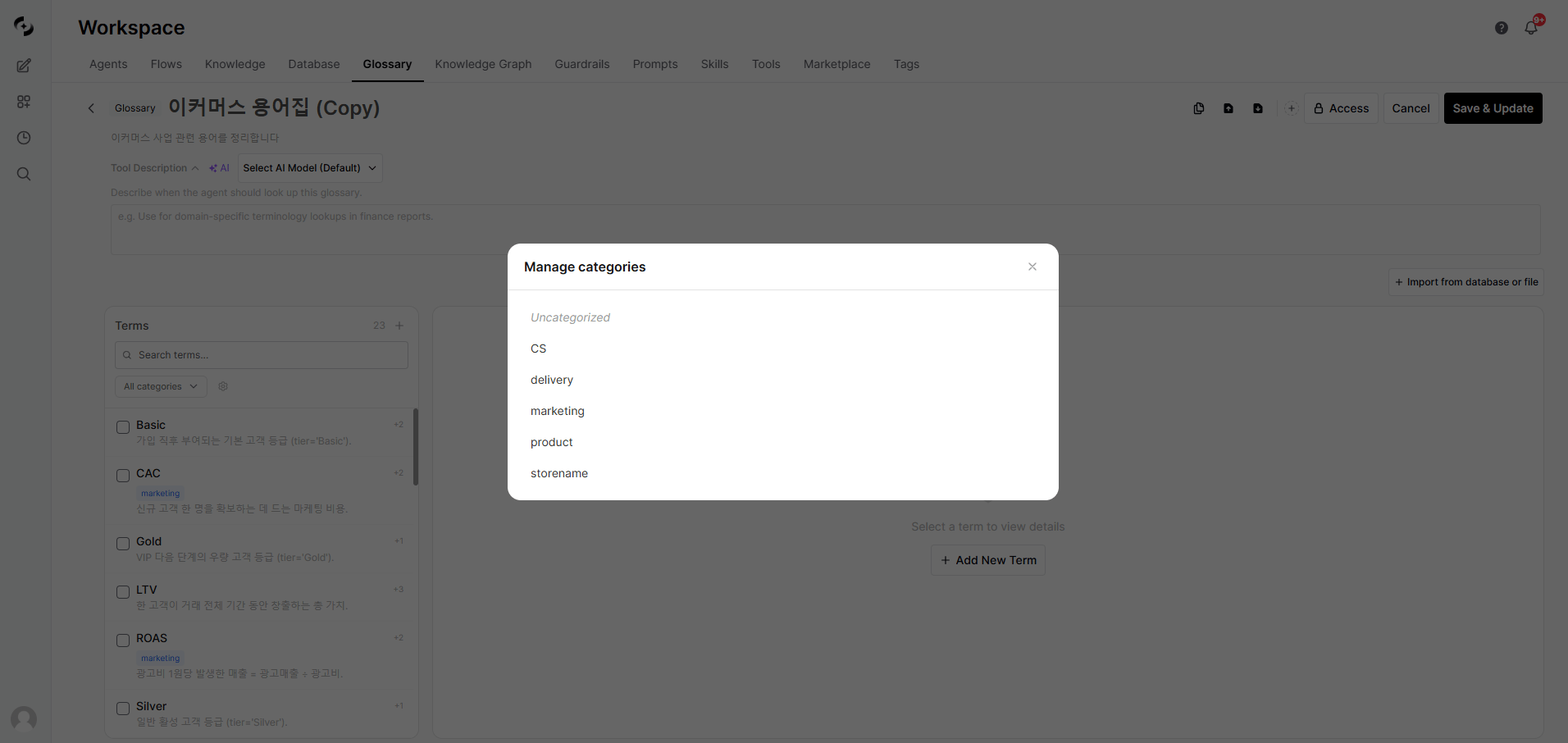
Category management
Categories and the Knowledge Graph
When extraction sources are configured for a category, Knowledge Graph sync auto-generatesmaps_to edges from the category to DB columns. This lets the agent map business terms to actual data columns.
DB Value Extraction
This feature auto-converts distinct DB column values into glossary terms. Instead of manually entering hundreds or thousands of data values, build the glossary quickly by extracting directly from the DB.Extraction Flow
Run Extraction
Start extraction
Configure extraction
LLM enrichment settings (optional)
Run
Inline Review
Once extraction completes, new term candidates appear at the top of the list with a green background + “NEW” badge.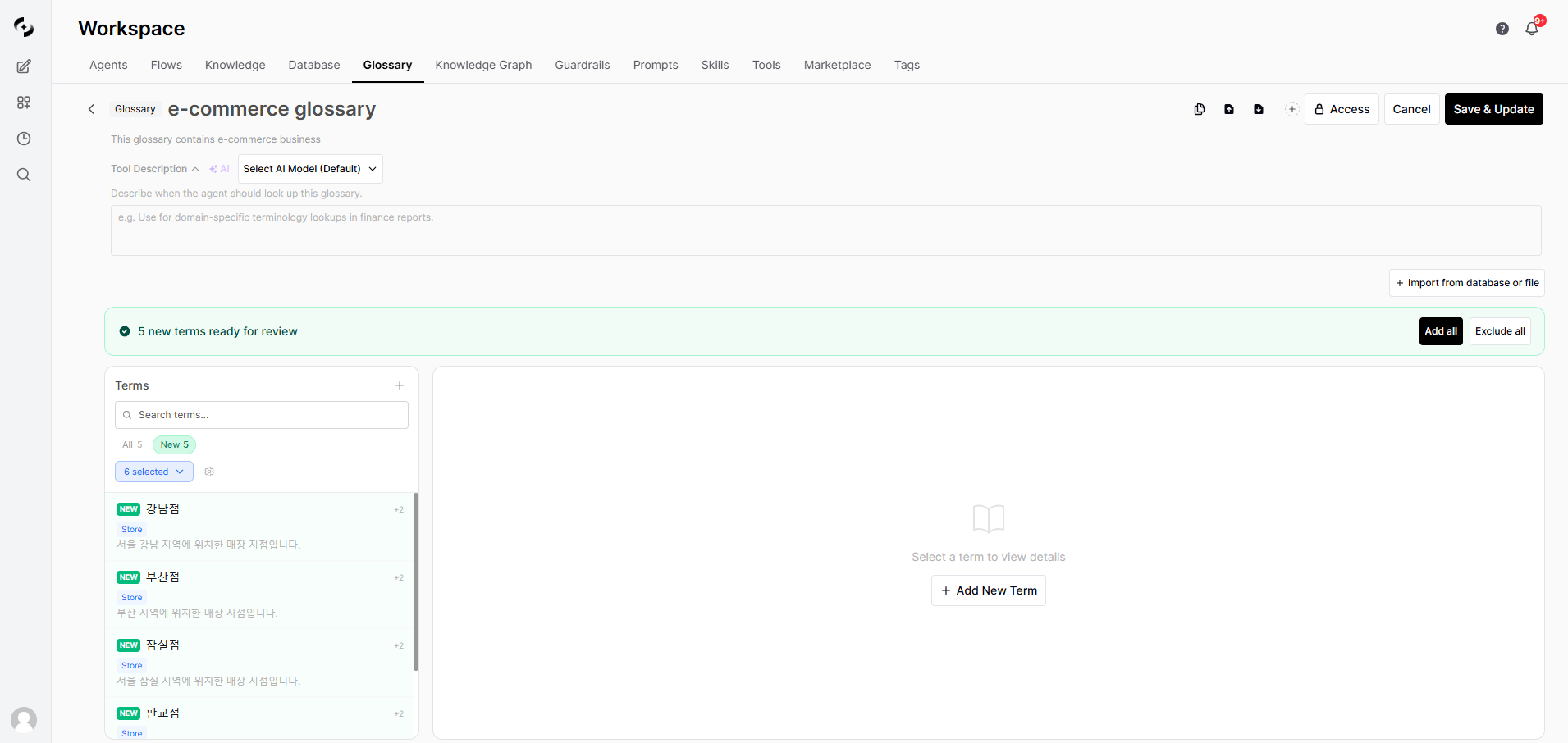
Review new terms extracted from the database
Using a Glossary
Connect to an Agent
Open the agent edit screen
Pick glossaries
Save
Auto-reference in Chat
When you chat with an agent that has glossaries connected, the AI auto-recognizes related terms and references their definitions.Glossary Examples
- Marketing
- IT
- Finance
- HR
Best Practices
Writing term descriptions
Writing term descriptions
- Be concise: Core explanation in 1–2 sentences
- Include examples: Add real usage examples
- Link related terms: Explain related concepts together
- Keep current: Update immediately when descriptions change
Synonym management
Synonym management
- Register the various commonly used expressions
- Include both English and Korean spellings
- Register both abbreviation and full name
- Example: MRR, Monthly Recurring Revenue
Glossary composition
Glossary composition
- Separate by domain: Run separate glossaries for marketing, IT, finance, HR, etc.
- Set access permissions: Expose only the glossaries each department needs
- Periodic review: Quarterly term updates and cleanup of unused terms
FAQ
Can the AI understand terminology without a glossary?
Can the AI understand terminology without a glossary?
Can I connect multiple glossaries to one agent?
Can I connect multiple glossaries to one agent?
What's the difference between a Knowledge Base and a glossary?
What's the difference between a Knowledge Base and a glossary?
- Knowledge Base: Stores entire document content and finds related content via vector search (RAG)
- Glossary: Stores only individual terms and definitions for fast reference
How many synonyms can I register?
How many synonyms can I register?
I'm worried about LLM costs for DB value extraction
I'm worried about LLM costs for DB value extraction
What's the relationship between glossary and Knowledge Graph?
What's the relationship between glossary and Knowledge Graph?