
Admin › Monitoring › Audit Logs
- Transparently track who, when, what, and how — meeting security audit and compliance requirements.
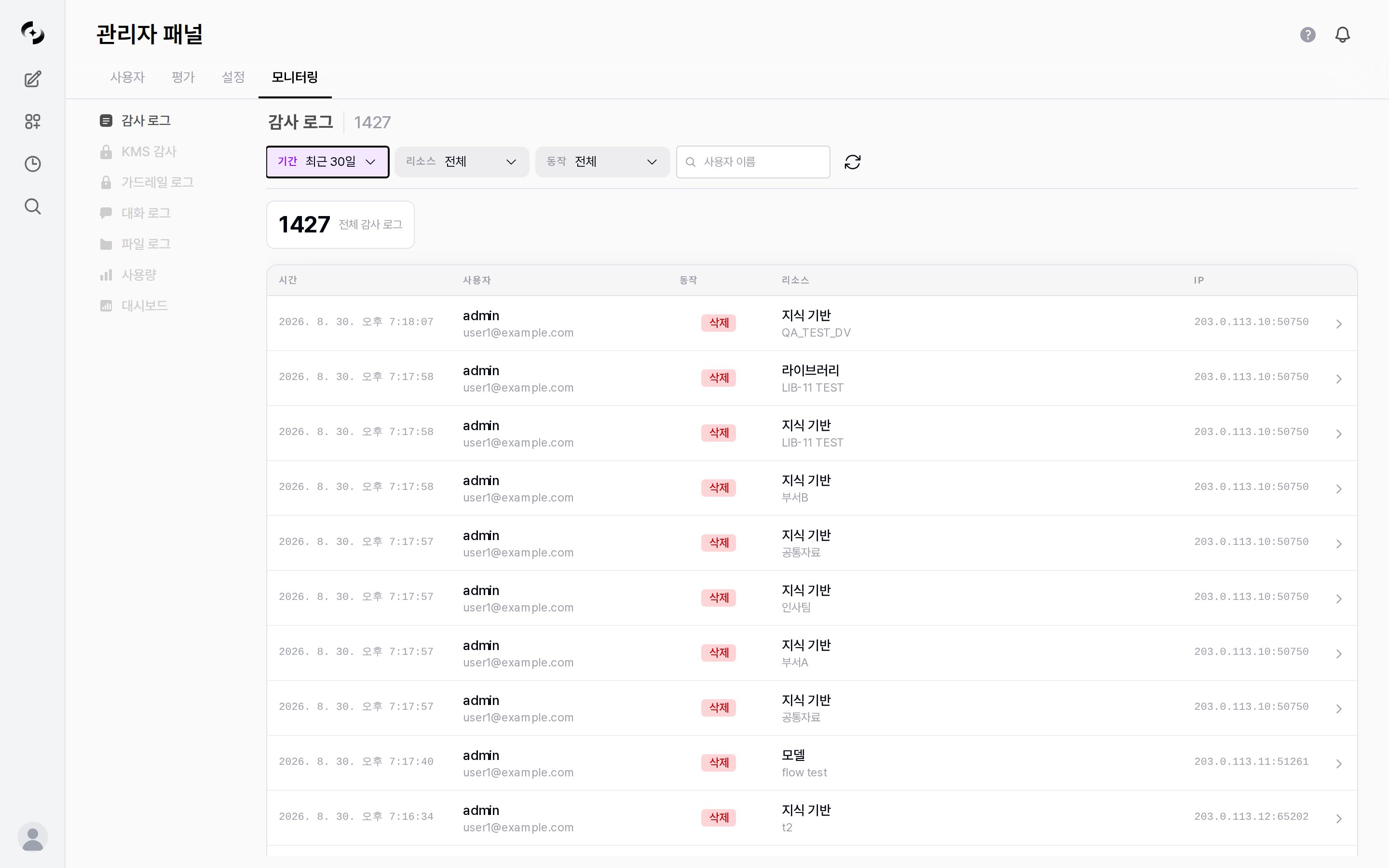
Audit Log main screen — filter area, log table
Audit Log is a licensed feature. Requires a license with
audit_log feature enabled.Recorded Activities
The audit log records major changes and access in the system by action and resource. See the tabs for the full lists.- Action types
- Resource types (auto/explicit)
Core actionsIntegration actions (Google Workspace · DbSphere)
API key issuance and revocation are not recorded as separate actions. Those changes are kept as Update records on the User resource.
Integration feature usage is also audited, and failure events are recorded in
*_FAILED form (e.g., DRIVE_CREATE_DOC_FAILED).A DbSphere SQL execution leaves separate records right before execution and for its outcome, so success, rejection, and failure are all traceable.Log Entry Structure
Each audit log entry includes:Log entry fields
Log entry fields
Viewing Logs
Filter Options
The resource and action lists show only values that actually have records. Actions and resources that have never occurred are not listed. Changing one selection also narrows the other list to match.
Log Detail View
Click a log entry to expand that row and show its details. The arrow on the right indicates the expanded state. Only one row expands at a time, and it collapses when you search or change pages.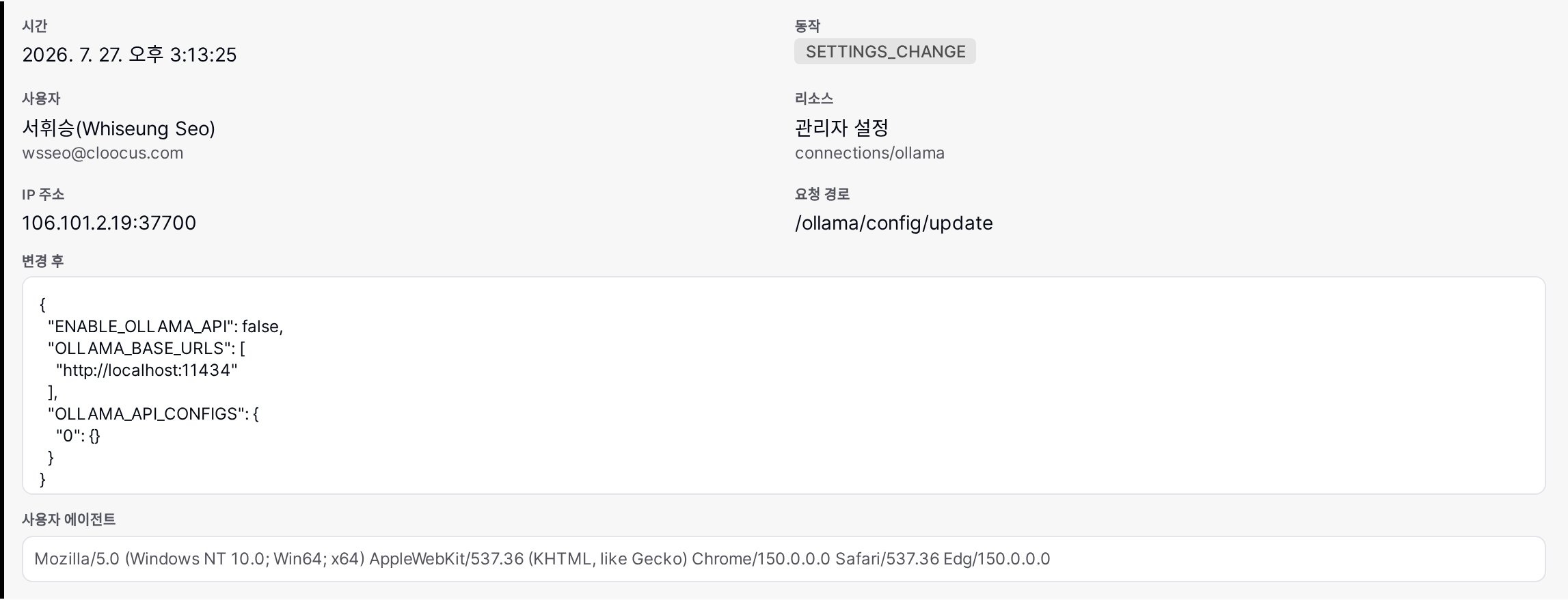
Audit Log detail — after value, request path, user agent
- Time, user, action, resource, IP address
- Request path (API endpoint) and user agent
- List of changed fields
- Access permission changes (when applicable)
- Before and after values (JSON, when recorded — shown not only for setting changes but also for model, knowledge, and user modifications)
Statistics
The top of the audit log screen shows the total number of audit log entries.- Combine the resource type and action filters to analyze activity distribution from the perspectives below.
Use Cases
Security Incident Investigation
Security Incident Investigation
- In the Audit Log tab, set the time range around the incident
- Filter by relevant user or resource type
- Review activity history chronologically
- Verify changes via detail view
- Preserve detailed logs as evidence
Compliance Audit
Compliance Audit
- Periodically (monthly/quarterly) review audit log statistics
- Review permission change logs to detect unauthorized access
- Track setting change history to verify policy compliance
- Compose audit reports based on audit logs
Anomaly Detection
Anomaly Detection
- Mass resource deletion outside business hours
- Repeated permission changes in short periods
- Abnormal sign-in failure patterns
- Admin permission escalation
Best Practices
- Periodic review: Review audit logs at least monthly to detect anomaly patterns
- Long-term retention: Per compliance requirements, retain for at least 1 year — retention periods are managed in Data Retention
- Backup: The audit log screen has no export feature, so keep long-term evidence through database backups
- Notifications: The audit log itself has no alerting — if you need alerts for important events such as permission changes or mass deletions, handle them in an external monitoring tool