
Admin › Evaluation › Arena · Leaderboard
Arena
A feature that hides the model name behind a response so users rate it without knowing which model produced it.Setup
Admin › Evaluation › Arena
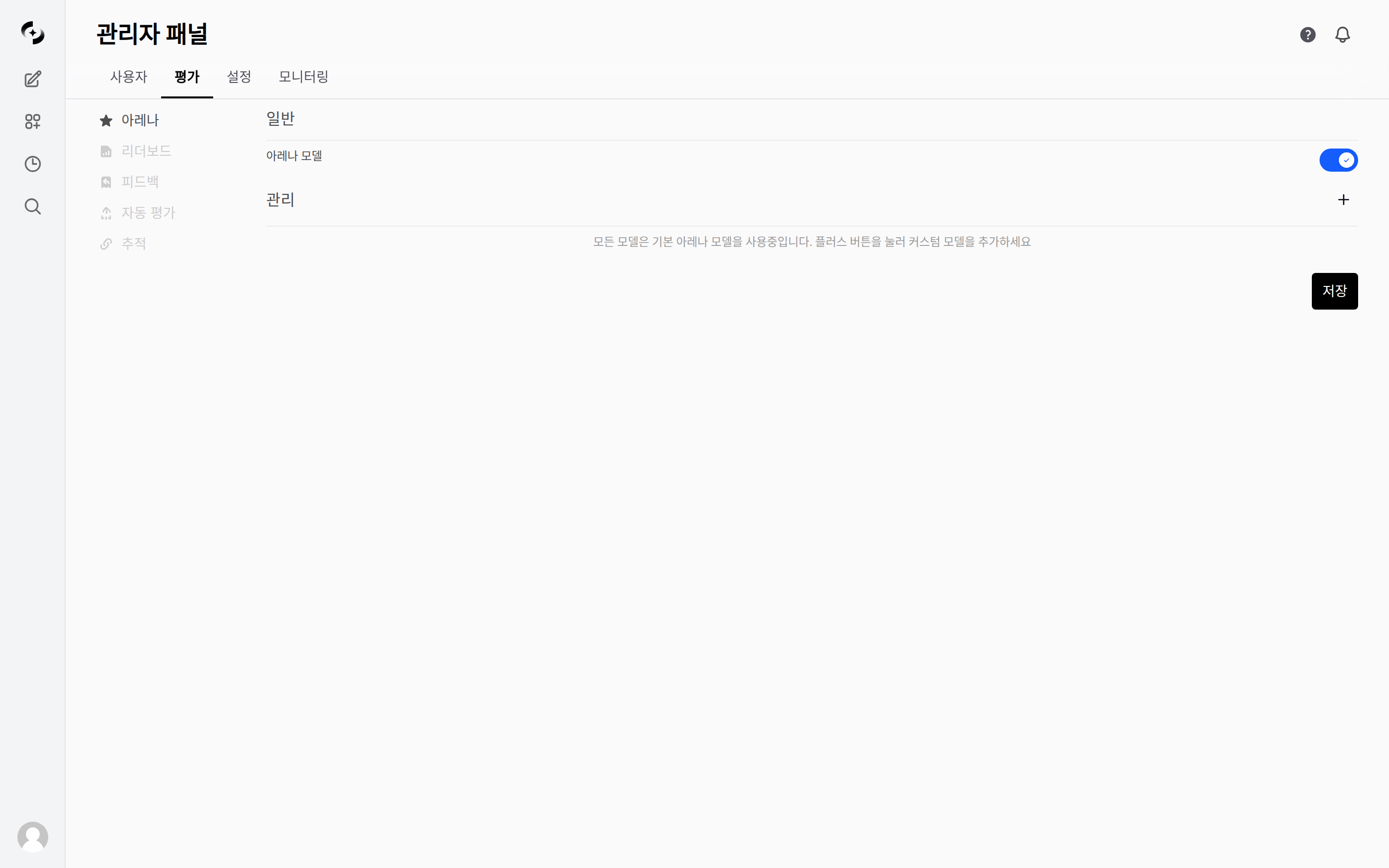
Admin > Evaluation > Arena — Arena model toggle and comparison model management
Turning the Arena models toggle off removes the Manage area below it from the screen. A toggle change takes effect only after you press Save at the bottom right, and a “Settings saved successfully” notification appears once it is saved. Adding, editing, and deleting custom models, by contrast, save the moment you press them.
To collect Arena ratings, Feature Toggles › Enable Message Rating under Admin › Settings › General must be on (on by default). When it is off, the like/dislike buttons do not appear on responses at all, so no leaderboard data accumulates even with Arena enabled.
Use + in the Manage item to add comparison models directly.
- Name and ID are required, and you specify access permissions and the models to use as candidates. Entering a name auto-fills the ID.
- Pressing the Include / Exclude label to the right of the Models item switches the mode. Include makes only the selected models candidates; Exclude makes every model except the selected ones a candidate. If you select no models at all, every model is a candidate regardless of this setting.
- Edit a registered model with the Configure (gear) button at the right of its row, and remove it with the Delete button in the edit dialog after the confirmation step. The ID cannot be changed while editing.
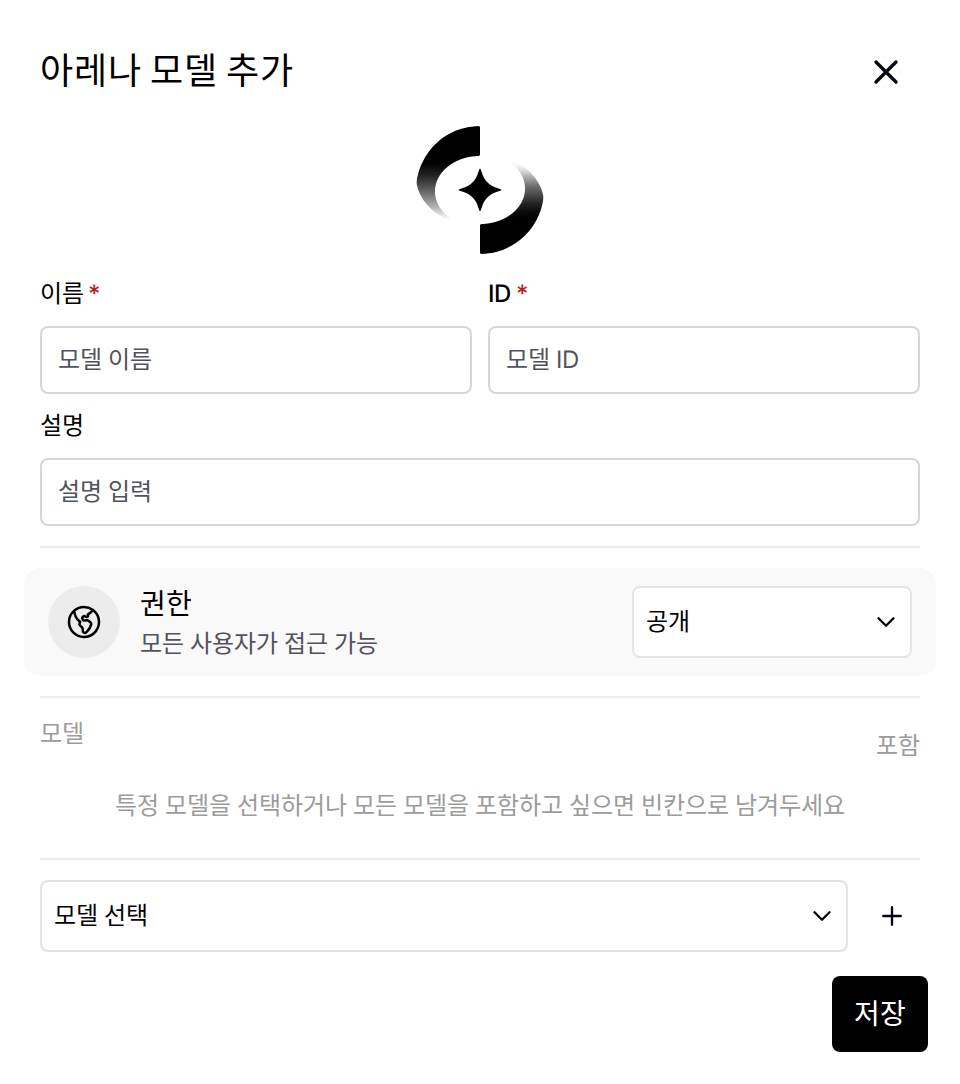
Admin > Evaluation > Arena > Manage > + — modal for adding a custom Arena comparison model
Arena Model if you have not registered a custom one). When a user asks a question with it, the system randomly picks one of the candidate models, generates a single response, and hides the actual model name.
- To compare responses side by side, the user has to select two or more models (up to four) themselves in the model selector at the top of the chat screen. Assigning the Arena model to several slots keeps both sides anonymous.
- Rating is done with like/dislike on each response, not with a “pick the better response” button. When the comment dialog opens, the line “This response was generated by (model name)” reveals the actual model.
Leaderboard
Admin › Evaluation › Leaderboard
- Only likes and dislikes given while a question has two or more responses enter the calculation — responses received by selecting multiple models and responses received by regenerating the same question both qualify.
- A like counts as that response beating the other responses and a dislike as losing to them, and the Elo scores update accordingly. Conversely, a response from the Arena model is not reflected on the leaderboard if there is no other response to compare it with.
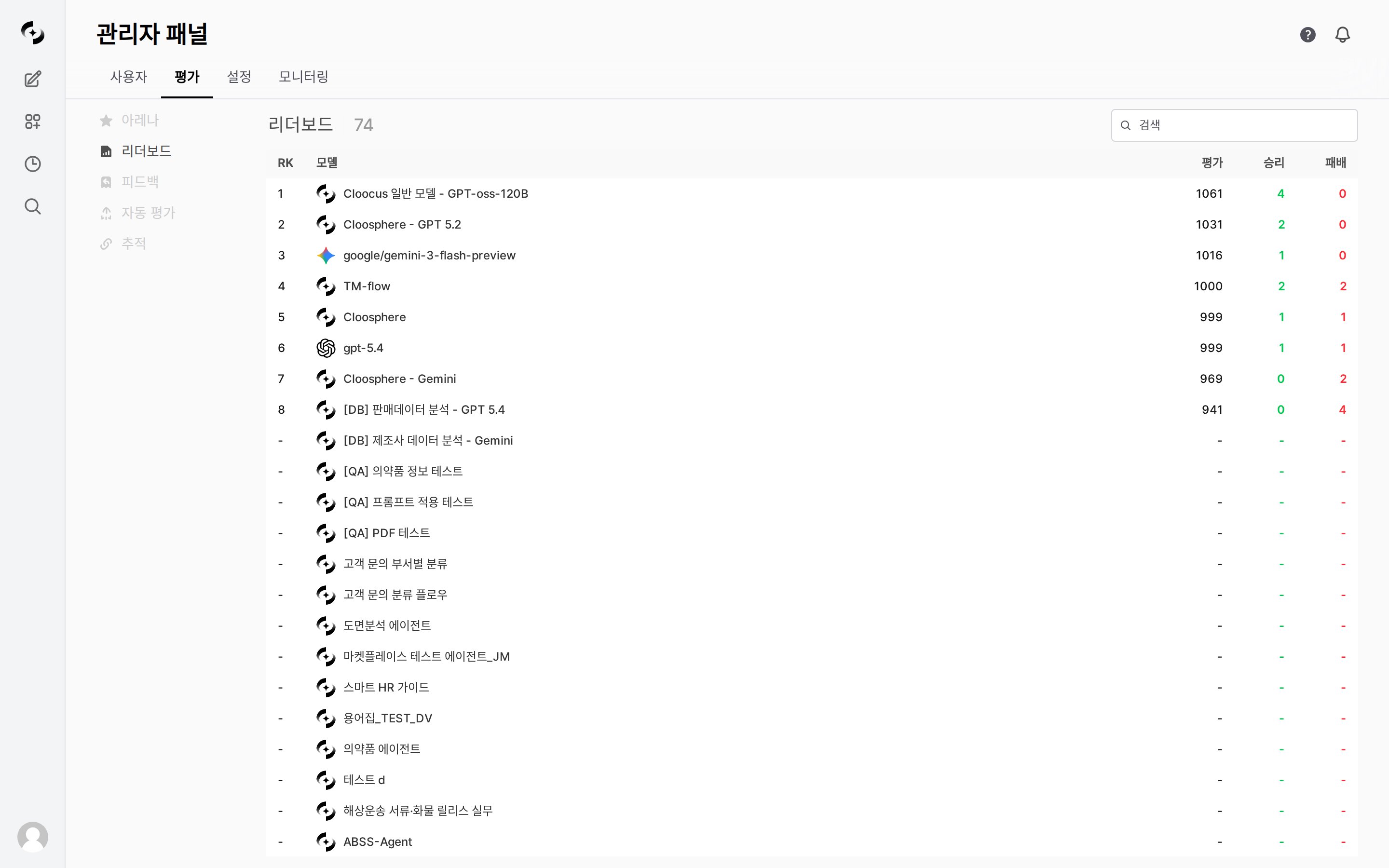
Admin > Evaluation > Leaderboard — Elo rating-based model ranking table
- The first time you click the search box, the browser downloads and prepares the embedding model used for semantic comparison, and recalculation starts about 1.5 seconds after you stop typing. While it calculates, the table dims and a loading indicator appears, so the first search can take a while to return results.
- The re-ranking is computed from semantic similarity against the tags attached to feedback. Feedback without tags is not reflected, so searching in an environment with few tags leaves every evaluation score equal at 1000.
- The embedding model is downloaded from an external source, so this search may not work in environments without internet access.
Example: RK 1 · Cloocus general model - GPT-oss-120B · Evaluation 1061 · Wins 4 · Losses 0
The leaderboard lists every accessible model, not only models with a rating history (the Arena model itself and hidden models are excluded). Models without any rating history yet show
- for RK, Evaluation, Wins, and Losses and are sorted by name at the bottom of the list. The number next to the title is likewise the total number of models listed, not the number of models that have been rated.
Hovering over a row turns the Wins and Losses numbers into win and loss rates (%), with wins plus losses as the denominator. These numbers are not feedback counts but matchup counts per opposing model — when a question has four responses and you press like once on one of them, that model’s wins go up by 3 and each of the other three responses’ losses go up by 1.
The leaderboard is in beta, and evaluation criteria may change as the algorithm is revised. It updates in real time based on the Elo evaluation system.
Use Cases
Comparing Quality Across Models
Comparing Quality Across Models
- Turn Arena models on and guide users to collect several responses to one question and leave likes or dislikes
- Compare average scores in the per-model statistics of auto-evaluation
- Set the model with the best cost-to-quality efficiency as the default model
Related Pages
Evaluation
Full overview and guide to evaluation methods
Auto-Evaluations
Automatic quality scoring by a judge LLM
Usage
Check token usage per model