
Admin › Evaluation › Feedback
- Each record shows the evaluated model and its result (win/loss), and can be shared to a community leaderboard.
The like/dislike buttons on responses appear only when Enable Message Rating under Admin › Settings › General › Features is on (on by default). Turning it off stops new evaluations from accumulating, so no new data reaches this page or the leaderboard (existing records are kept). The rating buttons are also hidden in Temporary Chat.
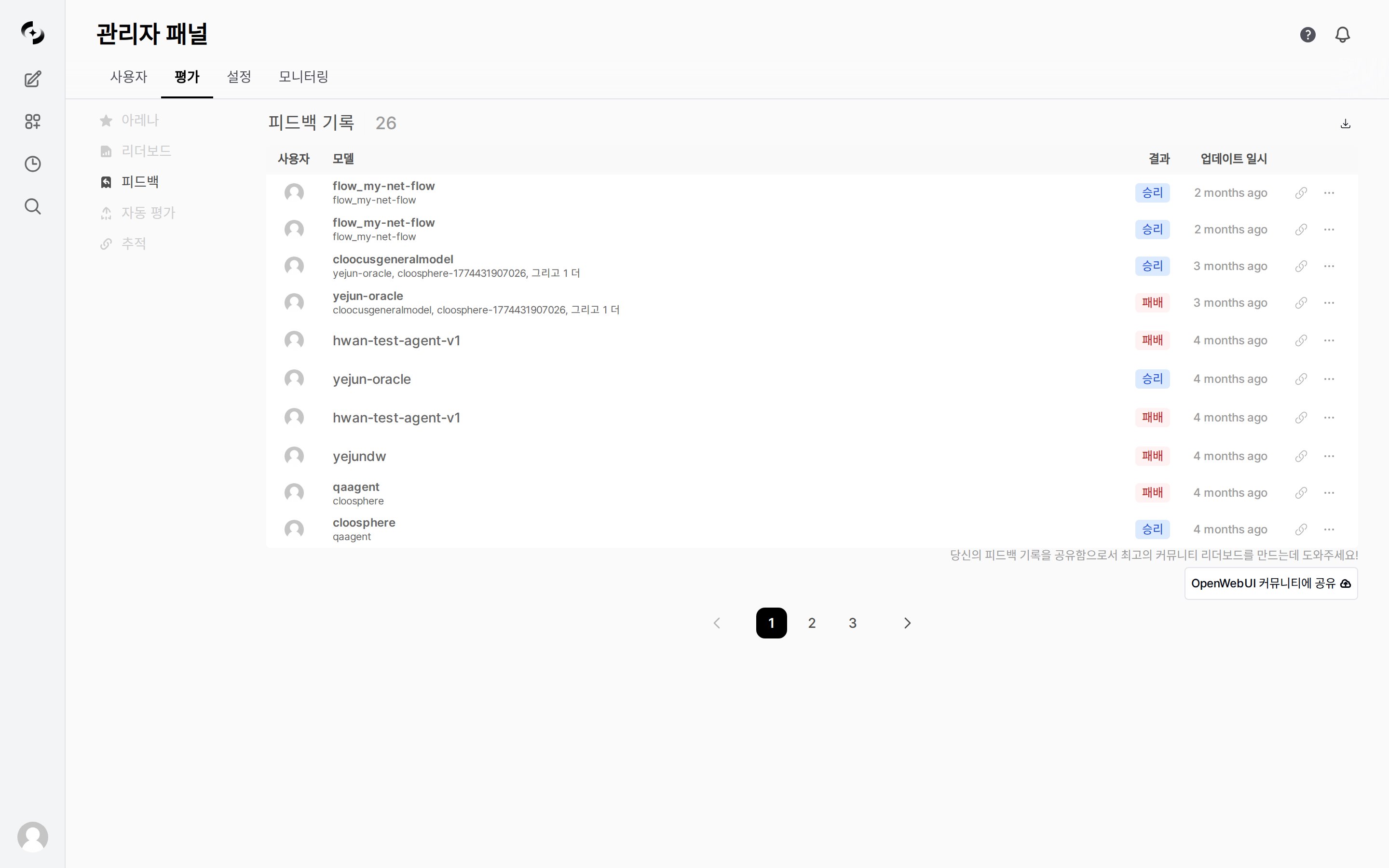
Evaluation › Feedback — feedback records table
Feedback Records
Each row is one evaluation.
Clicking the View Trace icon on the right of a row opens Evaluation › Tracing in a new tab, automatically searching by that evaluation’s Chat ID. The icon appears only on evaluations that also recorded a Chat ID or Message ID, and the Tracing tab does not open in environments where Tracing is disabled.
- The
⋯menu (More) contains only Delete. It deletes immediately without a confirmation dialog and cannot be undone, and an admin can also delete evaluations left by other users. - The list is paginated.
YYYY-MM-DD HH:mm:ss).
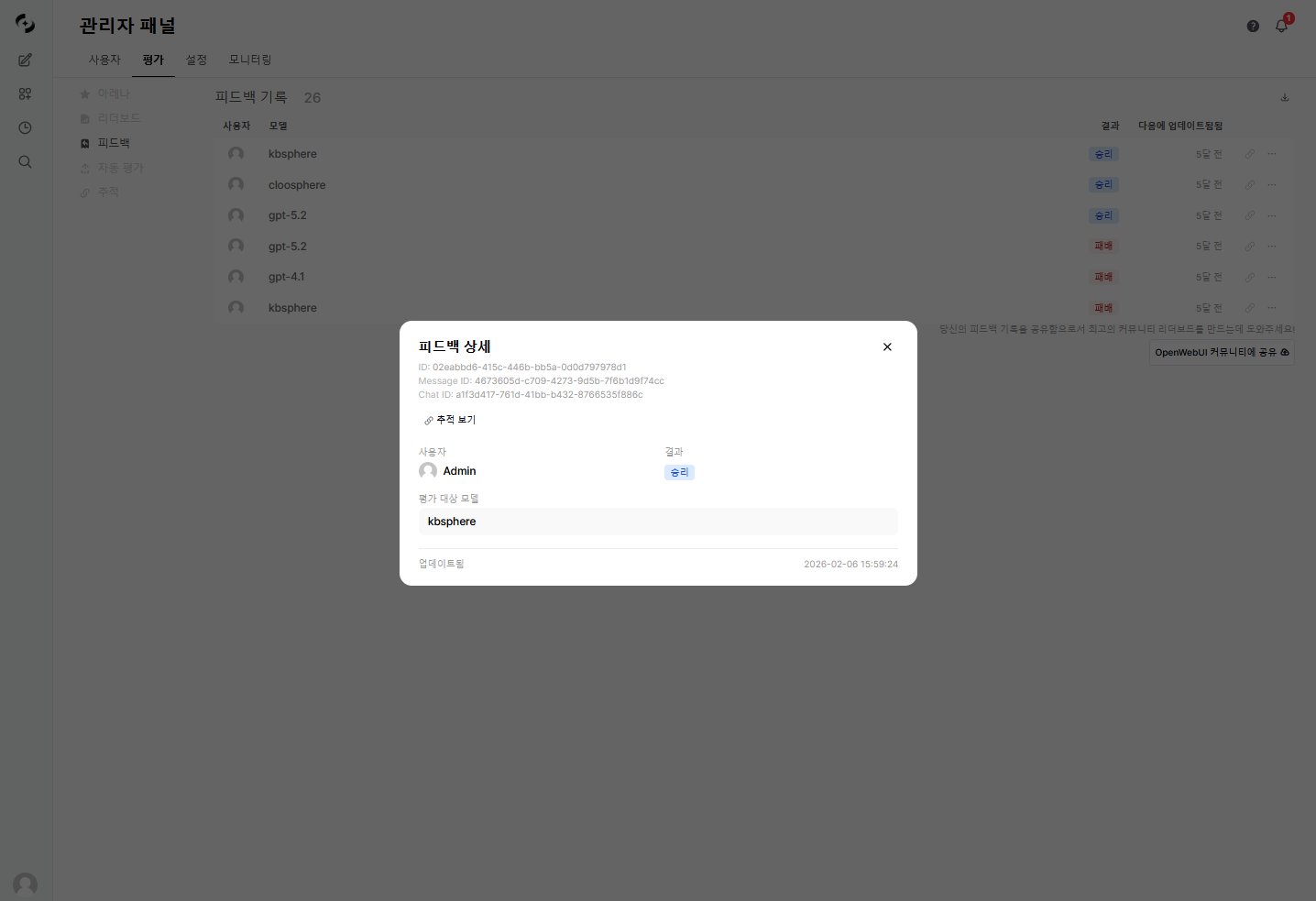
The Feedback Details dialog that opens when you click a row
Export and Share
Clicking Share to Open WebUI Community opens the external community leaderboard in a new tab and sends your feedback records to it (nothing is sent if the pop-up is blocked). What is sent includes ratings, model IDs, compared models, tags, the rating reason and comment text, and Chat/Message IDs; full conversations and user names or email addresses are not included. The reason and comment do carry sentences the user typed verbatim, so check your organization’s policy before sharing.
Use Cases
Comparing Model Quality
Comparing Model Quality
- Identify models/agents with many losses in the feedback records
- Check the evaluation rankings across models in the Leaderboard
- Analyze the cause of low-rated responses with Tracing
- After improving the prompt and Knowledge Base, check the score change in Auto-Evaluations
Related Pages
Evaluation
Full overview and guide to evaluation methods
Auto-Evaluations
Automatic quality scoring by a judge LLM
Tracing
Follow the trace of an evaluated response